







 Language


 No results found
Windscribe VPN review: What do I need to know?
Windscribe VPN review: User opinions and analysis of the features of its free and Pro plans. Keep reading to find out more!

In today’s Windscribe VPN review, we’ll take a close look at what users are saying, what it offers, how it works, its pros and cons, how secure it really is based on its no-logs policy, and how it performs in terms of speed and streaming. We’ll also explore some recommended alternatives for those who want a more stable VPN or broader global coverage.
Windscribe VPN is one of the most well-known providers in the freemium VPN space, standing out for offering a generous free plan along with advanced security features that are usually only found in paid services. It is especially popular among users looking for an easy to use VPN with solid performance and customization options without having to commit to a monthly subscription.
Unlike other free VPNs that heavily restrict speed, servers, or data, Windscribe offers a more flexible approach: its free plan lets you browse with up to 10 GB of data per month (with unlimited data on the Pro plan), access multiple international locations, and enjoy extra tools like ad, tracker, and malware blocking.
What is Windscribe VPN and what does it offer?
Windscribe VPN is a Canada based virtual private network provider that combines advanced security features, a strong privacy policy, and one of the most generous free plans on the market. Its main goal is to help you browse safely, block trackers, and protect your online identity whether you are working from home, traveling, or connecting to public Wi-Fi.
Technically, Windscribe works like most modern VPNs by securing all the data leaving your device and sending it through a protected server, keeping your online activity hidden from your internet provider, hackers, or other third parties. Connecting to one of its servers also masks your real IP address and shows the server’s IP instead.
But Windscribe offers additional features that set it apart from many free VPNs. Among these are:
- R.O.B.E.R.T., its advanced ad, tracker, and malware blocker that even supports custom lists.
- Granular settings that let you choose protocols, ports, and connection methods.
- Stealth Mode, designed to bypass censorship in countries where VPNs are restricted.
- Integration with browsers via extensions that add extra layers of protection.
Windscribe’s balance of simplicity and advanced features makes it suitable for both beginners and experienced users who want more control over their connection.
Overall, Windscribe VPN is a well rounded tool for protecting your privacy and enhancing your online experience, with the added benefit of being able to try it for free without giving up key features.

What does Windscribe VPN include?
At first glance, Windscribe VPN looks like a great choice for users who want a secure and reliable VPN, especially for those who prefer to try a service before committing long term. But to really determine whether it stands up to other well known brands, let’s take a closer look at what it offers and then examine key factors like its no-logs policy and performance.
| Feature / Function | Available on the free plan | Available on the paid plan (Pro) |
| Monthly data limit | 2 GB per month without email verification; 10 GB/month with email verification. | Unlimited data. |
| Simultaneous connections / devices | Unlimited connections. | Unlimited connections. |
| Access to servers / locations | Servers in 10 countries. | Full access to the entire network: over 69 countries and 130+ cities. |
| Encryption and secure VPN protocols | Yes — Windscribe includes its secure protocols in the free version. | Yes — same encryption and protocols in the Pro version. |
| Ad, tracker, and malware blocking (R.O.B.E.R.T.) | Basic features available. | Full features, including customizable lists in Pro. |
| Cross-platform compatibility | Yes (Windows, macOS, Linux, iOS, Android, browser extensions). | Yes (same platforms + full access). |
| Unlimited bandwidth | No — limited by the data cap on the free plan. | Yes — unlimited bandwidth on the Pro plan. |
| Streaming / Geo-unblocking | Limited: Depends on the country/server and data limit (10 GB/month may not be enough for regular video streaming). | Better: Thanks to unlimited data and a global network, this is much more feasible. |
| P2P / Torrent support | According to Windscribe, P2P is supported even on the free plan. | Yes — better performance thanks to full access. |
| Advanced features: split tunneling, custom settings, ports, etc. | Limited — some options may require a paid plan. | Included — full access to advanced settings. |
As the table shows, Windscribe VPN offers a solid mix of free and paid features. Its free plan stands out as one of the most generous out there, with secure encryption, tracker blocking, multi device support, and access to servers in several countries, though it is limited to 10 GB per month and a smaller server network.
The Pro plan, on the other hand, unlocks its full potential with unlimited data, access to servers in over 69 countries, better streaming performance, and more advanced settings that make it far more versatile.
Overall, Windscribe stands out for its flexibility. The free plan works well for anyone who just needs a basic layer of privacy, while the paid version is better suited for streaming, downloads, remote work, and heavier everyday use.
Important: If you are a frequent traveler and want to stay connected without worrying about expensive roaming or looking for a new SIM at every destination, Holafly’s subscription plans are for you. With a single eSIM, enjoy internet in more than 160 countries for a fixed price and no surprises on your bill. Travel without limits and connect easily and securely! 🚀🌍

Windscribe VPN Security: Advanced features and availability across each plan
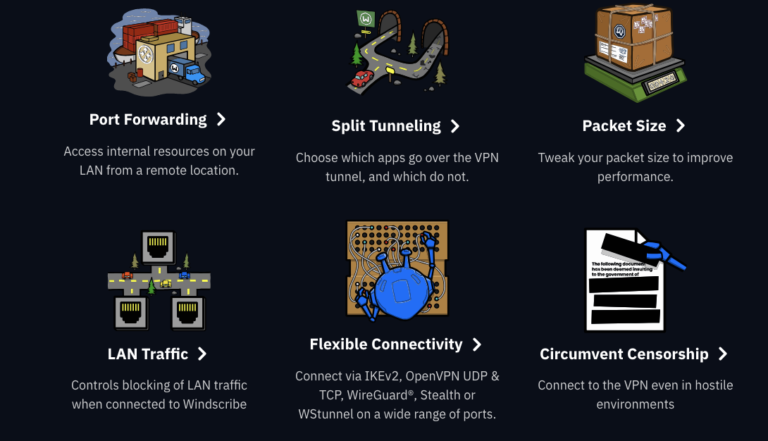
Windscribe VPN is one of the few providers that includes advanced security features even in its free version, making it a strong option for anyone who wants privacy without paying. While the Pro plan expands its capabilities and server network, the core security features remain the same across both plans.
Below, we review its main security features and which plans they are available on:
AES-256 and SHA-512 encryption (Free & Pro)
Windscribe uses AES-256 encryption, the highest industry standard, along with SHA-512 authentication and 4096 bit RSA keys. This level of security is available to both free and paid users, ensuring strong protection right from the start.
Advanced connection protocols (Free & Pro)
Both plans support modern, secure protocols like OpenVPN, IKEv2, and WireGuard. It also includes Stealth and WStunnel, which are especially useful for bypassing censorship or strict firewalls in countries where VPN use is restricted. These features are available on both plans, although performance can vary depending on access to Pro servers.
R.O.B.E.R.T.: Ad, tracker, and malware blocking (Free with basic features, Pro with full features)
R.O.B.E.R.T. is one of Windscribe’s standout features.
- On the free plan, it offers essential protection against trackers, malware, and ads.
- On the Pro plan, you can set up custom lists, block entire categories, and fine tune the filtering, turning it into a much more powerful tool for controlling what traffic goes in and out of your connection.
Built-in firewall (Free & Pro)
Windscribe’s firewall goes beyond a traditional kill switch. It blocks any data leaks whenever the VPN is disconnected or interrupted, ensuring your real IP is never exposed. Best of all, this feature is available on both the free and paid plans.
Split tunneling (Free & Pro, with variations depending on the platform)
It lets you decide which apps use the VPN and which connect directly to the internet. This feature is available on desktop and Android versions and works on both the free and Pro plans.
Protection against DNS and IPv6 leaks (Free & Pro)
Windscribe prevents DNS leaks and automatically disables IPv6 to keep your real location and identity from being exposed. This protection is built in across the entire service, no matter which plan you use.
Double hop (Pro)
Pro users can route their connection through two different servers, adding an extra layer of anonymity, while this feature isn’t available on the free plan.
Advanced settings and custom ports (Pro)
The Pro plan lets you choose specific ports, adjust the MTU, select alternative connection methods, and create manual setups for routers, FireTV, and Linux. These options are limited on the free plan.
In short, Windscribe provides strong security even with the free plan, offering high level encryption, a built in firewall, leak protection, and modern protocols. The Pro plan builds on this with advanced features like double hop connections, more technical customization, and a fully upgraded R.O.B.E.R.T. system.
In any case, both options offer a reliable VPN to protect your data and prevent tracking, even on public networks or while traveling.
Windscribe VPN’s no-logs policy, independent audits, and privacy
Privacy is a core aspect of any VPN, and Windscribe takes a fairly transparent approach in this regard. While it doesn’t undergo external audits as often as some of the top VPNs, its no-logs policy is clear, detailed, and easy to understand.
Windscribe states that it doesn’t keep any logs of your online activity, including the sites you visit, your searches, downloaded content, session timestamps, or the IP addresses you use while connected.
Put simply, Windscribe doesn’t keep any data that could connect your identity to your online activity. This is especially notable since the company is based in Canada, part of the Five Eyes intelligence alliance. While that might worry some users, the minimal logging policy goes a long way in reducing potential risks.
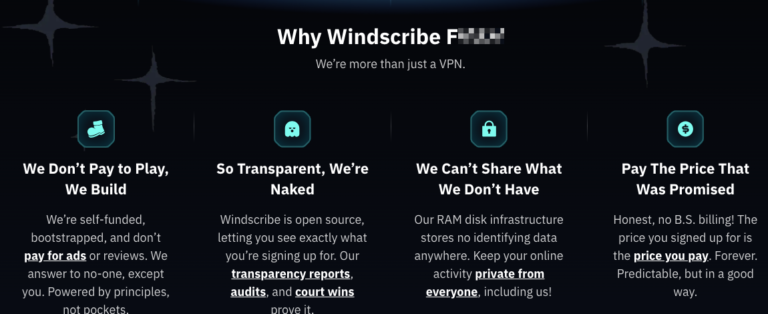
Like most VPNs, Windscribe does keep some operational data that’s needed to run the service: monthly data usage (only on the free plan to enforce the 10 GB limit), a timestamp of your last activity to identify inactive accounts, and basic account info like your email or API key.
It’s important to note that Windscribe allows you to create an account without an email address, which increases your level of anonymity if you choose to do so.
Are there any independent audits?
Windscribe has undergone audits, though not as regularly as larger providers like Proton VPN or NordVPN. In 2022, the company partnered with Leviathan Security to review its desktop, iOS, and Android apps. The audit found a few minor issues, all of which were addressed afterward.
However, there has not been a recent audit of its full infrastructure, with the last one conducted in 2022, and there are no regular checks to verify its no-logs policy.
This doesn’t mean Windscribe is unsafe, but it does put it a step behind VPNs that conduct annual audits or run fully RAM based servers with continuous verification.
That said, Windscribe provides a solid privacy policy for most users. However, without regular independent audits and being based in a Five Eyes country, it may not be the best choice for those seeking maximum anonymity or third party verified guarantees. In that case, if you want a free VPN and don’t mind the jurisdiction, Proton VPN is a stronger option.
Windscribe VPN speed and performance
When it comes to speed, Windscribe performs reliably. For most users, particularly those juggling browsing, remote work, and occasional streaming, its performance is more than adequate.
Regarding upload and download speeds, various tests by users and tech publications show that Windscribe has a moderate effect on connection performance.
- On nearby servers, it typically maintains between 70% and 90% of the original speed.
- On distant servers, the drop is more noticeable, potentially falling to 50–60% depending on the location.
This is typical for VPNs in its class. It handles everyday browsing, cloud work, and video calls well, but it may not be ideal for very large downloads or 4K streaming on servers that are far away.
In terms of latency, Windscribe delivers acceptable results, with a slight increase on nearby servers while still staying within comfortable ranges for browsing and remote work.
One advantage is that Windscribe lets you switch between different protocols, helping to optimize speed based on your network or location.
Overall, Windscribe delivers solid performance. It is fast on local servers (though speeds can vary on distant ones), and latency remains low enough for smooth use in most situations. While it isn’t the fastest VPN out there, it handles browsing, work, medium sized downloads, and streaming in standard or HD quality quite well.
Is Windscribe VPN good for streaming and gaming?
Windscribe VPN delivers decent performance in both cases, but speeds can vary significantly depending on whether you’re using the free or Pro plan and which server you connect to. It isn’t one of the most consistent VPNs for global streaming, though it can work well if you pick the right servers.
On its paid plan, Windscribe provides dedicated servers called Windflix, optimized for accessing Netflix libraries in the US, UK, and other countries. This allows you to unblock services like Netflix, BBC iPlayer, Hulu, and Disney+, although performance can vary. In addition, the R.O.B.E.R.T. ad blocker can enhance the experience on platforms with heavy advertising.
On the free plan, streaming access is more limited because fewer countries are available and monthly data is capped. Users also report occasional blocks or VPN detection messages on certain servers, and 4K streaming on distant servers is not recommended due to slower speeds.
In short, Windscribe Pro works well for streaming. It may not match the top providers, but it delivers more than decent performance for everyday use. The free plan, on the other hand, is best suited for occasional viewing.
As for gaming, Windscribe can be used for online play, but performance depends heavily on how close you are to the server you choose. For competitive games or titles that are very sensitive to ping, other VPNs tend to deliver better results.

How do I use Windscribe VPN?
Windscribe is a fairly versatile VPN, and while its design is modern and clean, the wide range of customizable features can feel a bit overwhelming for those who have never used a VPN before. This is especially noticeable on the free plan, where even without paying you get access to protocols, ports, block lists, and advanced settings that many other VPNs usually reserve for Pro users.
Using Windscribe is pretty simple if you just want to connect and browse.
- Start by downloading the app for your device, whether it is Windows, macOS, Linux, Android, or iOS, and create an account. You can even sign up without an email if you want extra privacy.
- Once the app is installed, just open it, choose a country from the list of servers, and toggle the main switch to get the VPN up and running.
If you want to keep things simple, just leave all settings on automatic. Windscribe will then pick the best available protocol and use its built in firewall to prevent data leaks. For more advanced users, there are plenty of options to customize your connection, from protocols like WireGuard or OpenVPN to tools like split tunneling and R.O.B.E.R.T. block lists.
Windscribe VPN: User reviews
Today, user reviews carry a lot of weight since sharing feedback is just a click away. Most of us check what other people experienced before downloading an app or making a purchase.
In general, feedback on Windscribe VPN is mostly positive, particularly for its balance of advanced features, solid performance, and a free plan that’s more generous than most competitors. At the same time, some users note that certain features can be complicated and that streaming quality can be inconsistent on some servers.
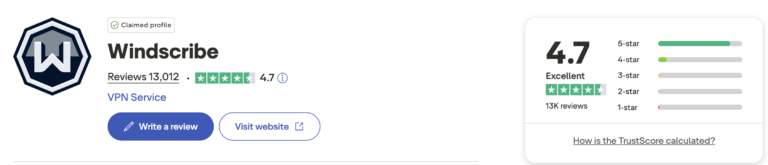
On Trustpilot, for example, Windscribe holds a 4.7 out of 5 star rating. Overall, users praise its solid performance, the value of the free plan, and the wide range of features available even without paying. The company’s transparency and clear privacy policy are also frequently highlighted.
Among the most common complaints are occasional issues with customer support and inconsistent performance when trying to unblock geo-restricted content.
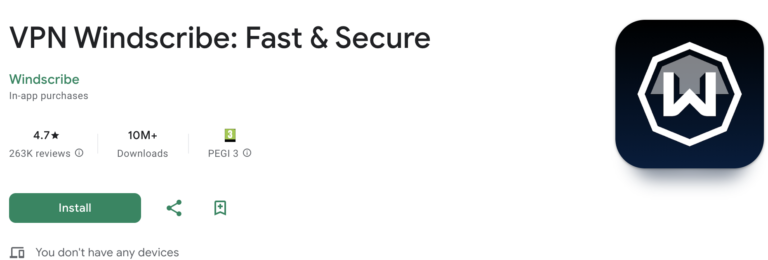
On Google Play, it has a 4.5 out of 5 star rating, with over 10 million downloads and 225,000 reviews. Users consistently highlight its ease of use, intuitive design, and stable connections on nearby servers.
On the downside, some users report occasional connection issues in certain countries, glitches after updates, and limitations of the free plan when it comes to streaming.
Windscribe VPN: User reviews for entertainment
- “Thanks to Windscribe, I can play games and have a great experience” – User: Davidloco – Trustpilot, November 2025.
- “The only VPN that hasn’t given me NAT issues. Even though it’s moderate, I’ve had no problems playing Xbox Live…” – User: Gustavo Andres Rodriguez – Trustpilot, August 2025.
- “It’s wonderful to be able to watch TV shows from other countries! Thanks” – User: Antonio Villarejo – Trustpilot, April 2025.
- “I wanted to share my thoughts on @windscribecom, a fantastic VPN for gaming. It’s smooth and efficient, and the free plan even gives you 10GB to browse without paying. Definitely worth checking out.” – User: Balthazar Videntium – Trustpilot, February 2025.
- “I started using it for free and just purchased a year with the $39 deal. It works perfectly on my iPhone, Google TV, Xbox One S, and Windows 11. I’ve been able to bypass regional restrictions on streaming services and cloud gaming. The ad blocker works flawlessly too.” – User: Donal Estrada – Trustpilot, September 2024.
Windscribe VPN: Reviews from users who travel the world
- “Connection speed is great, and it’s easy to install and use. You can choose the connection that works best for you anywhere in the world.” – User: Maria Jose Sanjurjo Prado – Trustpilot, February 2025.
- “My experience has been very positive. It has servers all over the world, and I can use it on Android, Windows, and Mac without issues. It works great, and I’ve been able to unblock streaming in different countries. I mainly bought it to watch TV from Mexico while in Spain, and it didn’t disappoint. I definitely recommend it.” – User: Carlos Rodriguez – Google Play, December 2023
Windscribe VPN: Reviews of its free plan
- “Without a doubt, the best VPN out there. I was able to unblock content that other apps couldn’t. I use the free version, and it feels on par with premium VPNs, except for the number of available countries.” – User: María Victoria Ezquiaga Moreno – Google Play, October 2025
- “The best VPN ever 😍 Not only did I get the free version, but I also managed to unlock over 500 GB of extra data with coupons 🥳” – User: Lenin Alberto – Google Play, October 2025
- “It’s really good, but the downside is that the free data runs out and you have to wait for it to reset. That’s the only issue, otherwise it works well. I’m not giving it 5 stars because of that, the wait time should be shorter.” – User: Dani Ramírez Ramirez – Google Play, November 2025
- “For a free tool, it’s really impressive. The free version is a bit limited, but it’s more than enough for basic use, and the amount of time and data it gives is decent. Overall, it’s lightweight, fast, and easy to use.” – User: Hernan Carrasco – Google Play, February 2025
- “It’s super easy to use, reasonably priced, and the only VPN that’s worked for me to watch Netflix from other countries. I used the free version for a while, and it’s a great option for anyone who can’t afford the basic plan.” – User: María del Mar Weisz – Trustpilot, July 2024
What can we conclude about Windscribe VPN based on user reviews?
User feedback shows that Windscribe VPN delivers a surprisingly versatile experience, adapting well for both entertainment and everyday use while traveling or on the go.
In the world of digital entertainment, many users note that it works very well for online gaming, providing smooth connections on consoles like Xbox and cloud gaming services. It’s also praised for its ability to unblock streaming platforms and access content libraries from other countries.
Among frequent travelers and mobile users, Windscribe also receives positive feedback. Users highlight the ability to connect to servers in different countries, keeping them protected on any Wi-Fi network.
The free plan, meanwhile, is seen as one of the best on the market. Many users point out that despite its limits on countries and data, it delivers performance that can surpass some premium VPNs.
Overall, reviews are very positive. Windscribe VPN is reliable and easy to use, whether you’re streaming, gaming, traveling, or working remotely. Its free plan is a major plus, and the paid version meets higher needs while staying user friendly.
Pros and cons of Windscribe VPN
Windscribe VPN pairs a generous free plan with advanced features usually found only in paid services. That said, like any VPN, it has its limits, especially when it comes to performance on distant servers. This table highlights its main pros and cons.
| Advantages | Disadvantages |
| One of the best free plans on the market (up to 10 GB/month). | The free plan has limited server locations available. |
| It offers ad, tracker, and malware blocking (R.O.B.E.R.T.). | Performance is inconsistent for streaming on some servers. |
| Unlimited simultaneous connections on all plans. | It can be confusing for beginners due to the number of options. |
| Modern protocols: WireGuard, OpenVPN, IKEv2 + Stealth mode. | It’s not the fastest VPN on the market, especially on distant servers. |
| Built-in firewall that’s more secure than a traditional kill switch. | The iOS mobile app is more limited due to system restrictions. |
| A good option for casual gaming (with no NAT issues in some cases). | In 2021, there was an incident involving servers in Ukraine that raised concerns among some users. |
| Compatible with Windows, macOS, Linux, Android, iOS, and web browsers. | Customer support could improve in terms of response times. |
| Pro Plan with an extensive network spanning over 69 countries and unlimited data. |
What are some alternatives to Windscribe VPN?
We’ve seen that Windscribe is a very capable VPN, especially with its free plan, but it’s not always the best choice for those who need higher speeds, consistent streaming performance, or extra privacy guarantees. If you’re looking for alternatives, here are three top options to consider.
1. Proton VPN
Proton VPN is the strongest choice if you want better performance in areas where Windscribe can fall short. Unlike Windscribe, Proton VPN delivers higher and more stable speeds, thanks to its network of over 16,000 servers across 127 countries.
Users particularly value Proton VPN’s privacy focused setup, including regular independent audits and RAM only servers. It also performs better for streaming and downloads, and its free plan stands out because it doesn’t limit data.
In short, Proton VPN stands out for its privacy, speed, and global performance, making it an excellent choice for travelers, remote workers, or anyone who needs a truly reliable VPN. Alongside Holafly Plans, it’s a top pick for digital nomads.
2. Mullvad VPN
If your top priority is anonymity, Mullvad is one of the best VPNs available. Unlike Windscribe, it doesn’t require an email or personal information to create an account. On top of that, it allows payments in cash or untraceable cryptocurrencies.
While it doesn’t offer a free plan and isn’t as streaming friendly as Proton VPN, Mullvad is ideal for users seeking verified privacy and completely transparent operation.
3. Surfshark
Surfshark is a strong alternative if you’re looking for a fast VPN with plenty of advanced features at an affordable price. Compared to Windscribe, it offers benefits like a more global and stable network, excellent speeds on both local and international servers, and a wide range of premium features.
For a strong, affordable VPN that delivers steady performance for streaming and entertainment, Surfshark is a better option than Windscribe.
Plans that may interest you


Hi! I'm a Spanish-English translator working with Holafly, helping bring travel content to life for curious travelers. As a digital nomad with a passion for exploring, I'm always adding new spots to my bucket list. If you love to travel like me, stick around because you're in the right place to find inspiration for your next trip! ✈️🌍
