







 Language


 No results found
AVG VPN review: Pros & cons
What are AVG Secure VPN users' opinions? Is it the best service in terms of value for money? We'll find out in this AVG VPN review.

If you’re considering AVG Secure VPN as your next online privacy tool, it’s important to understand exactly what it brings to the table, including its strengths and limitations. In this detailed AVG VPN review, we break down its features, compare it with other options on the market, and help you determine whether it truly fits your needs. We also take a close look at user feedback, which can often tip the scales one way or the other.
Like many of its competitors, this VPN claims to secure your internet connection with military grade encryption and an easy to use interface. But does it really deliver on those promises? Does it offer good value for the price? And can it compete with the top VPNs on the market? Let’s take a closer look.
What is AVG Secure VPN and what does it do?
AVG Secure VPN is a virtual private network developed by AVG Technologies, a long established cybersecurity company that is now part of the Avast group. It aims to provide a simple, reliable, and secure way for users to protect their internet connection without requiring advanced technical knowledge. If you haven’t read our Avast VPN review yet, it’s worth checking out, as you’ll notice a few similarities with today’s featured service.
AVG Secure VPN is designed to encrypt your traffic, hide your IP address, and give you access to geo restricted content. It is especially useful when browsing on public Wi-Fi networks, as it prevents third parties from intercepting your data. Since it integrates with the AVG product ecosystem, it is also a convenient choice for users who already rely on its antivirus or other security tools.
Although it focuses on simplicity, AVG Secure VPN promises strong encryption and a smooth, hassle free browsing experience. However, as we will see later, it also has a few limitations that are worth considering before signing up.
What are the features of AVG Secure VPN?
AVG Secure VPN provides a basic yet reliable set of features, aimed at users who want something easy to set up and use. That said, you should not expect advanced options like a dedicated IP or Double VPN. On the plus side, it offers a 7 day free trial and a 30-day money-back guarantee. While there is no completely free plan, this approach still gives users a chance to test the service before making a long term commitment.
So, what kind of encryption does AVG Secure VPN use? Which protocols does it support? Does it have a kill switch? And what about a no-logs policy? There are a lot of questions, so we’ve summarized the main technical features in a table and will then dive deeper into some key details we think are worth highlighting.
| Feature | Details |
| Number of servers | Over 700 servers |
| Countries available | Over 30 countries and around 100 locations (including the Middle East, Asia, and Africa) |
| Encryption | AES 256-bit |
| Protocols | WireGuard, OpenVPN, IPsec/IKEv2 |
| Kill Switch | Yes (Windows only) |
| Streaming servers | Yes (dedicated servers) |
| No-logs policy | Partial (stores some technical data) |
| Simultaneous connections | Up to 10 devices |
| Available apps | Windows, macOS, Android, iOS |
| Router compatibility | No |
| Ad and malware blocking | No |
Protocols and encryption
Encryption is crucial because it keeps your connection private and unreadable to ISPs, hackers, and anyone else. Here we see the first similarity with Avast VPN (and most other providers): it uses 256-bit encryption by default. This is the highest standard available, making it a strong starting point for our review.
When it comes to protocols, it offers a mix of WireGuard, OpenVPN, and IKEv2/IPsec, depending on your operating system. This ensures both speed and stability for browsing or streaming. Once again, a solid choice by AVG Secure VPN.
Kill switch
Another feature we look for in a VPN is a reliable kill switch. This function automatically cuts off your internet connection if the VPN drops, helping prevent accidental IP and DNS leaks.
For AVG Secure VPN, a kill switch is available, but it’s quite simple. It works across the entire system rather than letting you control it for specific apps.
Streaming servers
Many people use VPNs to access content that’s restricted in their country or region, such as streaming libraries from other countries like Netflix US. AVG Secure VPN offers servers optimized for services like Netflix, Hulu, and BBC iPlayer. These servers are clearly labeled in the app, so connecting is just a click away. That said, they don’t always work consistently, so if you want a reliable way to watch shows from abroad, there are other VPNs we’d recommend.
No-logs policy
Another downside of AVG Secure VPN is its privacy policy. While it doesn’t track the websites you visit, it does record things like timestamps and how much data you use. This isn’t overly invasive, but it may not be enough for users who need total privacy.
Another issue is that it hasn’t undergone third-party audits to verify its claims, which can raise some doubts. VPNs that are truly committed to user privacy are usually open source and regularly undergo independent audits. This is another area where AVG Secure VPN could improve.
Compatibility and devices
AVG Secure VPN can be used on up to 10 devices at the same time, which is great for people who switch between a computer, phone, and tablet. In terms of compatibility, it works with Windows, macOS, Android, and iOS, but it can’t be installed directly on routers or Smart TVs, and it doesn’t support gaming consoles.
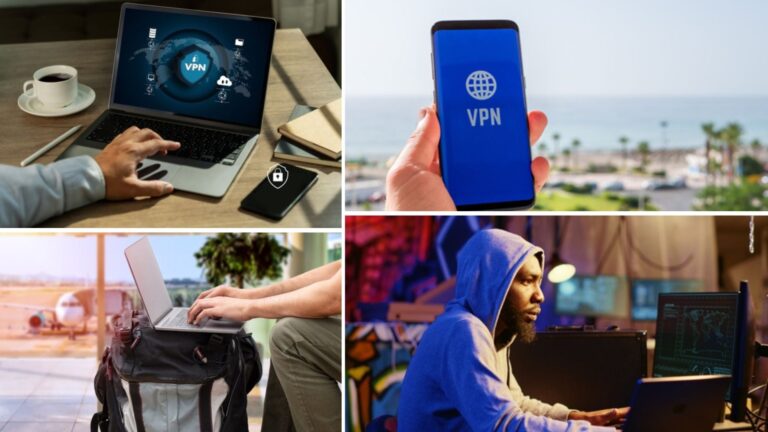
How to use AVG Secure VPN?
One of AVG Secure VPN’s main advantages is how easy it is to use. You can be protected and online in just a few clicks. The setup and connection process is simple, and the interface is clear and easy to navigate. It is a great option for anyone who wants a straightforward VPN, though it may not satisfy users looking for advanced features.
Let’s take a closer look at how the sign-up process works, how to install it, and how to use the VPN.
Signing up: How to create your account and choose a plan
The sign-up process is straightforward and quick. Here are the steps you need to follow:
- Go to the official AVG Secure VPN website.
- You can choose from several plans: one year, two years, or three years. All of them include a 60-day free trial on desktop or a 7-day trial on mobile, along with a 30-day money-back guarantee.
- Fill out the purchase form with your details and select your payment method (credit card, PayPal, Direct Debit).
- Once you complete your purchase, you will receive an email with instructions and your activation key (if you purchased online).
If you already have other AVG products, you can manage everything from your AVG account in a single session.
Installing the application on your device
AVG Secure VPN is available for Windows, macOS, Android, and iOS. Once you purchase a license or download the free trial, simply:
- Download the app from the official website or from Google Play/App Store.
- Run the installation file and follow the steps in the wizard (on desktop).
- Log in with your AVG account or enter the activation code if you received it by email.
- Grant the necessary permissions for the app to work properly.
On mobile devices, installation is even simpler: you just need to accept the permissions to create the VPN connection.
Connecting to servers and configuration
Once installed, using the VPN is very simple:
- Open the app and click on the large central button that says “OFF” to activate it.
- The app will automatically connect you to the fastest server based on your location. If you want to pick a different country, click on “Change Location” and choose from the available options.
- To see the servers optimized for streaming, look for those marked “Streaming.”
Once the VPN is connected, the button will turn green and a padlock will appear, showing that your connection is secure. You can keep it on all the time or only use it when connecting to public networks.
What are the advantages and disadvantages of AVG Secure VPN?
AVG Secure VPN is designed for users who want a simple and reliable way to protect their connection. That said, it does have some limitations you should be aware of before subscribing. To give you a clear overview of its strengths and areas for improvement, we’ve put together this table:
| Advantages | Disadvantages |
| Intuitive and easy-to-use interface | Higher price than other VPNs with more features |
| Free trial for up to 60 days on desktop and 7 days on mobile | Partial no-logs policy, no independent audits |
| AES-256 encryption and modern protocols | Does not include ad or malware blocking |
| Servers optimized for streaming | Smaller server network |
| Supports up to 10 simultaneous devices | Does not support routers, smart TVs, or gaming consoles |
| Good performance for general browsing | Does not offer advanced features such as split tunneling |
| Integration with other AVG products | Does not reliably unblock all streaming platforms |
| Available for desktop and mobile | Not the best option in terms of value for money, as there are VPNs that offer more features for the same price |
| Good technical support | 24/7 live chat, email via the ticket system, and phone support |
What is the user experience and feedback like for AVG Secure VPN?
It’s one thing to know what features a VPN has, but the real question is how it performs in daily use. We tested AVG Secure VPN in different situations, from working remotely to traveling abroad, and looked at user feedback to see how it holds up. This way, you have all the information you need to decide if it’s the right choice for you.
AVG Secure VPN: Feedback and use in remote work
AVG Secure VPN is a reliable choice for anyone looking to protect their connection while working from home or on shared networks. Its clear interface and easy server connections make it ideal for users with little prior experience. That said, some users report a slight slowdown when using distant servers, which can affect work calls or large file transfers.
AVG Secure VPN: Feedback and use for streaming
Many users turn to AVG Secure VPN to access content on platforms like Netflix, BBC iPlayer, or Hulu. While the app offers servers optimized for streaming, the experience can be inconsistent. Some platforms may detect the VPN and block access. Video quality is generally good, but it can vary depending on the server you choose and your base connection speed.
AVG Secure VPN: Feedback and use by digital nomads
For people who travel frequently, AVG Secure VPN covers the basics: it hides your IP, secures your connection, and lets you access sites that might be restricted in certain locations. However, its server network is smaller than some other providers, and it doesn’t include features aimed at frequent travelers, such as advanced server selection or router support.
AVG Secure VPN: Feedback and use for traveling abroad
Connecting to public WiFi while traveling can be risky. AVG Secure VPN provides an extra layer of protection that frequent travelers appreciate. Its quick connect button and automatic connection make it easy to stay secure on networks in hotels, airports, or cafés. That said, some travelers mention that in more remote destinations, the limited server coverage can impact connection reliability.
Important: If you are a frequent traveler and want to stay connected without worrying about expensive roaming or looking for a new SIM at every destination, Holafly’s subscription plans are for you. With a single eSIM, enjoy internet in more than 160 countries for a fixed price and no surprises on your bill. Travel without limits and connect easily and securely! 🚀🌍

What alternatives to AVG Secure VPN are there?
One of the benefits of VPNs is the variety available in a competitive market. There are plenty of providers to choose from, including free options. While free VPNs aren’t always reliable, there’s generally a solution to fit every user’s needs.
Proton VPN
If privacy is your main concern, Proton VPN is a top choice. Developed by the team behind ProtonMail and based in Switzerland, it follows strict data protection laws that are independently audited. Its standout feature is the free plan, which lets you browse with no data limits.
Unlike AVG, Proton VPN is open source, includes advanced features like Secure Core (routing traffic through multiple servers), and keeps no activity logs. It uses military-grade AES-256 encryption with RSA-4096 keys and SHA-384 HMAC authentication to ensure your anonymity. It also supports anonymous payments and has apps for all major operating systems, including Linux. This makes it a great choice if you’re looking for strong security and full transparency.
Mullvad VPN
Mullvad VPN is built entirely around anonymity. Instead of an email, you get a randomly assigned number to use as your login. It follows one of the strictest no-logs policies in the business and even allows payments with cash or cryptocurrency.
It uses modern protocols like WireGuard and OpenVPN, offers simple, lightweight apps for all platforms, and delivers highly competitive connection speeds. While its server network isn’t as large as some other providers, it’s a great choice if your main priority is complete privacy without compromising performance.
TunnelBear VPN
TunnelBear is ideal for anyone looking for a user-friendly VPN with a simple, visually appealing interface. Developed in Canada and now part of the McAfee group, it benefits from strong cybersecurity backing. It offers a free plan with 2 GB per month and apps for all major platforms.
TunnelBear stands out from AVG by offering tools like GhostBear, which helps bypass networks that block VPNs, and VigilantBear, a built-in kill switch. Its no-logs policy has been verified through external audits. While it may lack advanced features, it’s perfect for users who want straightforward, reliable privacy.
Frequently asked questions about AVG Secure VPN
Not reliably. AVG Secure VPN does not provide dedicated servers or obfuscation technology designed to bypass China’s internet restrictions. If you need a VPN for traveling to or living in China, it’s best to choose a service that has been tested there and offers specialized tools to get around censorship.
Yes. You can cancel your subscription at any time through your AVG account or the app store you used to sign up (App Store, Google Play, etc.). If you subscribed on the official website, simply log in, go to the subscriptions section, and click “Cancel.” The service also comes with a 30-day money-back guarantee.
Partly. While it doesn’t track your browsing history or the sites you visit, it does keep some technical data, such as connection timestamps, the amount of data used, and your operating system. This may be a drawback for users seeking complete anonymity.
AVG Secure VPN offers three types of plans:
Annual: $5.69/month.
Two years: $4.55/month.
Three years: $4.55/month.
It accepts standard payment methods like PayPal, credit, and debit cards, but also supports cryptocurrency payments, which is a plus for users looking for extra privacy.
AVG Secure VPN has a 4.3 out of 5 rating on the Play Store, which is decent. Reviews from users are mixed, with some people sharing great experiences and others reporting significant issues.
Plans that may interest you


Hi! I'm a Spanish-English translator working with Holafly, helping bring travel content to life for curious travelers. As a digital nomad with a passion for exploring, I'm always adding new spots to my bucket list. If you love to travel like me, stick around because you're in the right place to find inspiration for your next trip! ✈️🌍








