







 Language


 No results found
Tuxler VPN review: Features, pricing & performance
In this guide you’ll find everything about Tuxler vpn, user reviews, experts, recommendations on how to choose vpn and much more.

When purchasing the services offered by each VPN on the market, you must review their features, advantages and disadvantages. Therefore, today we’ll examine the details about Tuxler VPN, review user opinions, what it offers and whether it’s worth choosing.
In this guide, you’ll discover this VPN’s core focus, its main differentiating factor and other crucial aspects to consider. This VPN ranks among the newest options available.
What is Tuxler VPN and what does it do?
Tuxler presents itself as a VPN offering “residential” IPs, giving the appearance of a regular user, unlike data centre IPs. It also provides premium plans aimed at travellers and users seeking anonymity or access to geo-blocked content. Its website highlights millions of available IPs, unlimited bandwidth and free plans with location-change limits.
What Does Tuxler VPN Include?
Below you’ll find the features Tuxler advertises and the observations made by independent reviewers.
Privacy Policy and No-Logs Policy
Tuxler states it provides anonymity through residential IPs and encryption. However, several independent analyses question the depth and transparency of its no-logs policy. They advise caution, especially regarding its residential IP pooling model. If absolute privacy matters most to you, these warnings become decisive.
Customer support
On its website, Tuxler publishes installation guides and help articles. However, reviews on Trustpilot and forums show mixed experiences and complaints about support and billing issues. Consequently, this reduces confidence in its after-sales service.
Compatibility with Routers and Devices
Tuxler offers native apps and browser extensions. If you require router-level integration or advanced support, such as manual OpenVPN or WireGuard setups, public information remains limited. Reviewers warn it isn’t the strongest choice for professional environments.
Holafly Monthly Plans
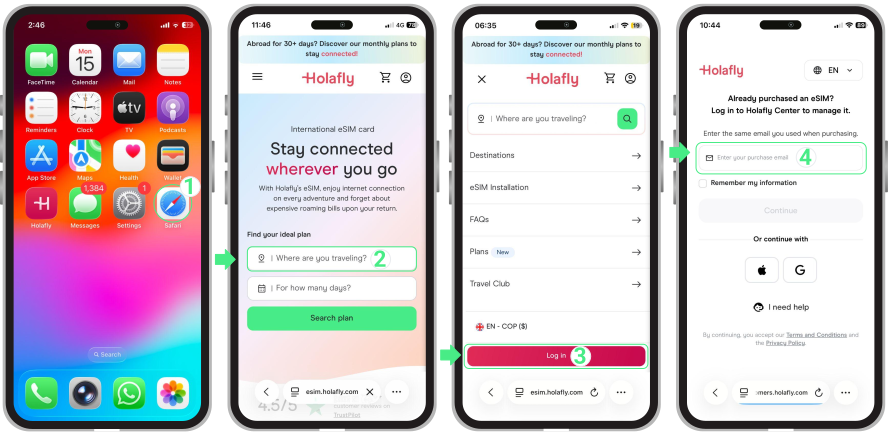
If you travel and need secure mobile connectivity while valuing a reliable eSIM provider, consider the Holafly monthly plans. They provide coverage in over 170 destinations and quick activation for mobile data abroad.

How to use Tuxler VPN?
Here we explain the usage flow based on Tuxler’s official documentation and installation guides:
Subscribing and choosing a plan
- Visit the official website and choose between the free version or the premium plan according to your needs. The free version usually offers unlimited bandwidth but limits location changes. If you need more locations and better speed, consider premium.
App installation
- Download the specific app for your system from Tuxler’s downloads section (Windows, macOS, iOS, Android or Chrome/Firefox extension).
- Run the installer and grant requested permissions, such as network drivers or browser extensions. Installation on Windows and macOS follows the standard executable process.
Initial Setup
- Open the app and log in with the account created during subscription.
- Review security settings: check encryption options, kill switch and autorun if you want automatic startup. Tuxler explains the kill switch concept, although you should verify its implementation in your installed version.
Connecting to servers
- Select your desired location from the available list. If you use the free version, remember the location-change limit. Connect and verify your IP with an external service if you want confirmation.
- For streaming or sensitive tasks, choose geographically closer servers to reduce speed loss. Multiple reviews report variable speeds and slow performance on some routes.
Maintenance and Best Practices
- Regularly check for app updates and security notes.
- Avoid using the free version for highly confidential tasks if you’re uncomfortable with its technical model. Forums and analyses indicate the free version rotates IPs, meaning your device may act as a node for others. Therefore, evaluate this potential risk carefully.

Advantages and Disadvantages of Tuxler VPN
User Experience and Reviews of Tuxler VPN
Below you’ll find real reviews and testimonials, including pros and cons, gathered from forums and reputation platforms.
Opinions and Testimonials About Tuxler VPN
Testimonial (Reddit forum)
“After using Tuxler for a couple of months… it suddenly tried to open scam websites, and my antivirus blocked it. I won’t use Tuxler again from now on.”
Testimonial (Reddit user, 2025)
“The connection felt very inconsistent, just like the speed… some servers simply failed to connect. It became very complicated to use, so I cancelled it after too many failures.”
Testimonial (Reddit user about community use / proxy node)
“I observed that Tuxler allows other users to access and use your IP address.” After that, they uninstalled it.
Testimonial (Summary of Trustpilot / Sitejabber / forum reviews)
- “Very poor services… I kept paying while it didn’t work.”
- “The worst VPN of the year… the extension sometimes doesn’t work… extremely slow service.”
- “Only good for one thing: accessing sites blocked for your IP. It offers no privacy protection, disconnects frequently… and sells browsing data to third parties.”
Opinions by Type of Use
For Entertainment (Streaming, Gaming)
Some users mention that they did manage to use Tuxler to access blocked content or streaming features: its website and reviews state that it can unblock services with residential IP.
But most reviews agree that the speed is too slow for decent streaming or gaming: frequent buffering, poor quality, unstable connections.
For Digital Nomads or Location Changes
The residential IP model gives Tuxler some appeal for users wanting to simulate another country or region. This may help access banking services or geo-blocked content. However, testimonials warn that assigned IPs may not match the desired location or may change suddenly. Additionally, the risk of your own IP being used by others creates potential liability. Therefore, it isn’t ideal if you depend on stability, real anonymity or sensitive services.
Conclusion based on real experiences
User experiences with Tuxler VPN, including expert reviews and forum testimonials, consistently highlight major issues with performance, stability, privacy transparency and security risks. Therefore:
- I would only consider Tuxler, especially the free version, for very specific needs that don’t require reliable speed or real anonymity.
- If you need a VPN for remote work, serious streaming, digital nomad life or real security, Tuxler doesn’t seem like a recommended option. There are alternatives with better reputation, speed and transparency.
- The community-powered model, although attractive for residential IPs, involves ethical, privacy and even legal risks that many users regret after use.
Alternatives to Tuxler VPN
If you prioritise speed, security or stability, other providers offer more complete solutions. Here are commonly recommended alternatives:
Proton VPN
Proton VPN stands among the most solid and transparent VPNs available. It features a strict privacy policy, external audits and advanced encryption. Its free plan proves safer than Tuxler’s community-powered model and doesn’t share your IP. Additionally, it delivers strong speeds and secure apps.
NordVPN
NordVPN earns recognition for its speed and stability. Its servers optimise streaming, downloads and remote work. It includes advanced features such as double VPN, malware protection, obfuscated servers and leak monitoring. Therefore, it suits users needing fast and consistent connections.
Surfshark
Surfshark provides an affordable alternative with unlimited connections per account. It offers strong performance, comprehensive security features and reliable streaming unblocking. Moreover, tools like NoBorders help in restricted networks. It remains a practical choice for those who need a stable VPN at a good price.
Frequently Asked Questions About Tuxler VPN
It isn’t designed for countries with strict censorship. It lacks advanced evasion protocols and obfuscated servers, so it proves unreliable in environments like China.
Technically, it may run. However, its instability and community-powered model risks make it unsuitable for restricted or monitored networks.
Yes, it offers a free version. However, this model turns your device into a node used by others, creating privacy and bandwidth risks.
According to multiple reviews, cancellation may feel complicated or slow. Several users report difficulties managing cancellation or contacting support.
It may occasionally work thanks to residential IPs, but it isn’t stable. Speeds often remain low and some servers fail, so it isn’t ideal for uninterrupted streaming.










