







 Language


 No results found
TouchVPN review: Features, pricing & performance
Looking for a free and functional VPN? Find out all the reviews of Touch VPN and assess whether it’s suitable for your personal use.

Some VPNs are designed for basic and user-friendly protection. If this is your case and you want to secure simple browsing on your device, today we bring you Touch VPN reviews from users who have already tried it. We explain this brand’s origins, its features, how to start using it, and its main advantages and disadvantages. We’ll also read real reviews to see how this VPN performs in different situations, such as for digital nomads.
Finally, we compare it with other market alternatives so you can decide if it suits you. It depends on whether you want maximum performance and privacy or a functional, free VPN for everyday use. So, compare and pick the one that fits your needs!
What is Touch VPN and what does it do?
Touch VPN is a completely free virtual private network service with no trial period. Its goal is to provide simple, fast protection for your device’s internet connection, encrypting traffic and hiding your IP address. When connecting to public Wi-Fi, any hacker could access private data such as passwords or personal information. That’s why this VPN encrypts data with bank-level security, preventing access. By changing your IP, your identity becomes anonymous.
You can also bypass geo-restrictions and access blocked or censored websites. Additionally, according to Touch VPN reviews, it bypasses firewalls to allow access to major streaming platforms.
What does Touch VPN include?
On its official website, you can find all Touch VPN features, including over 5,900 servers in more than 90 countries, ultra-fast speeds, and unlimited bandwidth. It’s a fully free VPN, with a paid plan option for extra features, and no connection time restrictions. Below is a table summarising its main characteristics:
| Features | Details |
|---|---|
| Servers | 5,900 |
| Countries | Over 90 |
| Simultaneous connections | Up to 5 devices |
| Supported protocols | OpenVPN, Catapult Hydra and WireGuard |
| Kill Switch | Yes, but limited; not available for Windows or macOS |
| Encrypted | SSL and AES-256 |
| Logging policy | Some domains are logged, but the IP is deleted at session end |
| Customer support | Email only |
| Rate | Free or premium version from $12.99 (€12.09) per month |
Security and privacy
According to Touch VPN reviews, users state that activity history is not stored, but some visited domains are logged. Encryption varies across platforms, using SSL on some and AES-256 on others, although the selection method isn’t always clear. It also has a kill switch to protect against disconnections, but it is not available on all websites, leaving some security exposed.
Device compatibility
Touch VPN is compatible on desktop with Windows, macOS, and Linux. On smartphones, it works with iOS and Android and offers browser extensions for Chrome and Firefox. Several users in Touch VPN reviews mention it also works on smart TVs and gaming consoles.
Important: If you are a frequent traveler and want to stay connected without worrying about expensive roaming or looking for a new SIM at every destination, Holafly’s subscription plans are for you. With a single eSIM, enjoy internet in more than 170 countries for a fixed price and no surprises on your bill. Travel without limits and connect easily and securely! 🚀🌍

How to use Touch VPN?
If you’ve decided to try this VPN, we explain the steps to install and start using it. All Touch VPN reviews agree on the ease of the process, from downloading, installing the app, connecting to servers, and configuration. Here’s a more detailed guide:
1. Download Touch VPN
First, from the official Touch VPN website, you can get the free version. Simply choose the platform: Mac App Store, App Store, Microsoft, Windows, Microsoft Edge, Google Play, Firefox, or Chrome Web Store. Click “download” and select your device. For the Premium version, after obtaining the free VPN, you can upgrade. We recommend trying the free version first for a few days.
2. Install the app and browser extensions
After downloading the free version, run the installer, follow instructions, and click “connect”. For Premium, select “upgrade” and purchase within the app. For browser extensions, search for the official browser extension in the browser shop and install it. Importantly, the extension only protects you from browser traffic, but not from the rest of the system.
3. Connect to servers and configure
For basic use, open the app, click “connect”, and Touch VPN will choose the optimal server based on location and load. To select a specific country or server, open the app menu. Some advanced servers are only available in Premium.
4. Check the connection
Once connected, verify the VPN shows a “connected” icon and your assigned IP. Ensure the kill switch is active and, for extra security, check your IP change with an external IP checker.
Advantages and Disadvantages
To help you decide if this VPN fits your needs, we summarised the main advantages and disadvantages based on official platform data and Touch VPN user reviews. See the table below for a clearer idea:
| Pros | Cons |
|---|---|
| Fully free version available | Speed impacted on free version |
| Very simple interface | Limited servers in free version |
| Available on multiple platforms (Windows, macOS, iOS, Android, browsers) | Kill switch limited and not on all platforms |
| Easy upgrade to Premium via app | Free version lacks advanced features like ad-blocking |
| Good for public Wi-Fi browsing | Logging policy is not strict; some usage data is collected |
| Ideal for occasional use | Not recommended for streaming |
| Low device resource consumption | Performance varies by country |
| Fast installation without technical steps | Doesn’t offer dedicated IP |

User experience and Touch VPN reviews
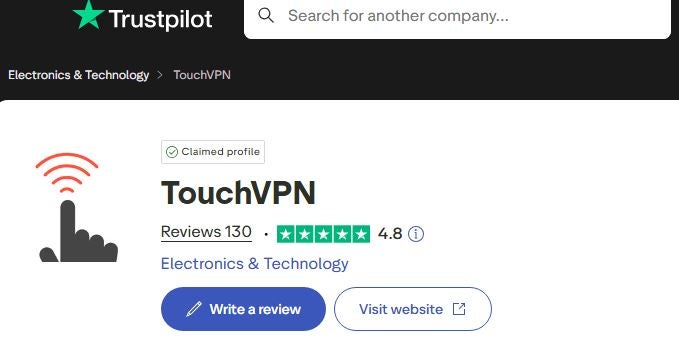
Looking at official platforms like Trustpilot, Touch VPN users give it a 4.8 out of 5 based on over 130 reviews. They appreciate its simplicity, ease of use, and free VPN option. Do you want to read? Here are the key ones:
Touch VPN reviews for general use
“Simple and efficient VPN. Easy to install, ideal for all internet users.” (Source: Grace Fynn – Trustpilot)
“Very good VPN app, connection is excellent and works properly.” (Source: Ahmad Shaikh – Trustpilot)
“Works very well; self-protection and exclusions are the best.” (Source: William Velasquez – Trustpilot)
Touch VPN reviews as a digital nomad
“Good VPN, widely used, especially when many sites are blocked in Indonesia.” (Source: Chandra Purnama – Trustpilot)
“One of TouchVPN’s best features is bypassing geo-restrictions. As a frequent traveler who enjoys international content, I often face frustrating limits when accessing some websites or streaming services. TouchVPN overcomes these restrictions effortlessly, letting me access my favourite content anywhere. Whether unlocking geo-restricted content or blocked social media platforms, TouchVPN never fails me.” (Source: TioWayne – Trustpilot)
“One of the best VPNs I’ve used. But it needs more updates. Sometimes I experience connection speed issues in Bangladesh.” (Source: Jeque – Trustpilot)
Alternatives to Touch VPN
As you’ve seen from Touch VPN reviews, it’s an excellent solution for simple and casual internet protection. With a free version and optional Premium features, it’s not the only VPN on the market. Here are some alternatives to compare performance and features:
1. Proton VPN
One of the best VPNs is ProtonVPN, offering high security and based in Switzerland, ensuring strict privacy under local laws. If privacy and anonymity matter to you, you can access an extensive network of 11,000 servers in 120 countries. It uses AES-256 encryption and allows secure servers to prevent mass surveillance attacks.
If you only need functional but limited protection, you can download the free plan or paid plans starting from $3.47 (€2.99) per month. Compatible with Windows, macOS, Android, iOS, and Linux devices.
2. TunnelBear VPN
Another alternative is TunnelBear VPN, founded by McAfee in 2018. It offers a free version limited to 2 GB per month and an annual plan from $4.00 (€3.45). Like Touch VPN, it protects basic browsing and public network connections. Its VigilantBear kill switch protects your IP if the connection drops. Limitations: It’s not the fastest for streaming or torrent downloads.
3. Windscribe Free VPN
The free version provides up to 10 GB of monthly data, which works well for remote work across 10 countries. It has a strict no-logs policy with AES-256 encryption for safe public network or banking use. Additionally, the free version includes R.O.B.E.R.T., a malware and ad-block system that filters suspicious domains. For more data, you can upgrade to the Unlimited plan from $3.00 (€2.59) per month.
Frequently asked questions about Touch VPN
Yes, this VPN has a free plan with no data limits, allowing connection to multiple servers. Limitations include some speed restrictions and specific locations.
Yes, although not clearly visible on the official website, you can access Premium via the app after downloading the free version. Benefits include more locations, better speed, and no ads.
Only partially, as Touch VPN cannot unlock all foreign streaming catalogs. Speed may also be insufficient for high-quality viewing.
Yes, at a basic level it encrypts your connection and hides your IP, but the free version lacks malware protection and dedicated servers.
It collects some connection and usage data, such as visited domains, but does not store sensitive information or personal data.










