







 Language


 No results found
Radmin VPN review: Features, pricing & performance
Radmin VPN: User reviews and service analysis. We help you define if this product is what you need to protect your connection.

We invite you to read our complete review of Radmin VPN: User opinions, the type of service it provides, advantages and disadvantages, how it works, and when it may be a recommended option. Additionally, we’ll explore more comprehensive alternatives if you need a traditional VPN focused on privacy or streaming.
If you’re a gamer, you may have heard of Radmin VPN, a free tool that allows you to create virtual private networks to connect computers over the internet as if they were on the same local network. Unlike traditional VPNs aimed at privacy, streaming, or anonymous browsing, Radmin VPN focuses primarily on playing LAN games remotely, collaborating in teams, and connecting devices within the same virtual network without complex setup.
Its popularity grew especially among gamers and users who need to create stable private networks without paying a subscription. It’s also appreciated by small businesses or workgroups seeking a simple way to share resources and collaborate remotely.
But how reliable is it? Can it compete with other free VPNs? Let’s take a closer look.
What is Radmin VPN and how does it work?
The first thing to note about today’s subject is that it is not a traditional VPN. Therefore, many features expected from these powerful tools are not included when using Radmin VPN. That said, let’s see what it offers and its key characteristics.
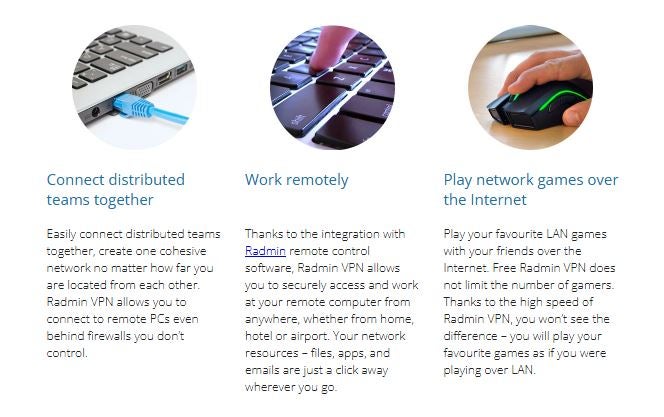
Radmin VPN is a free Windows tool that allows you to create a virtual LAN network between multiple computers over the internet. In simpler terms, it connects computers that are far apart as if they were all on the same physical local network, without needing to share the same Wi-Fi or be in the same place.
In a traditional LAN, devices (such as computers, printers, or servers) communicate because they are connected to the same router. This allows sharing files, printing documents, or accessing internal applications without extra cables or complex configuration. The only limit is that all devices must be physically close to the network point.
Radmin VPN removes that restriction. Through its software, it creates a virtual tunnel that replicates a real LAN’s behaviour, regardless of each device’s location. This way, two or more computers in different countries can work as if they were in the same office or room.
Once this virtual LAN is created, users can:
- Share internal resources (printers, folders, servers, and specific applications).
- Transfer files directly between connected computers.
- Collaborate within programs that require a LAN connection.
- Remotely access devices within the network without complex setup.
It is important to clarify that, although Radmin VPN encrypts all traffic within its virtual networks, it does not function as a traditional VPN: It does not hide your public IP, block ads, filter malware, or provide advanced privacy features. Its main purpose is to connect devices, not protect browsing.
Radmin VPN for Gamers
One reason Radmin VPN is so popular is its use in gaming. Many older or PC games require LAN to play co-op or multiplayer, and Radmin allows recreating that experience remotely. Moreover, there is a catalogue of over 1,000 networks created by other users to join, play, or create your own servers.
However, as with any open network, caution is needed: Some rooms or servers may use unauthorised or modified software. While communication is encrypted, the security of content on each server depends on that network’s administrator.

What Does Radmin VPN Include?
Radmin VPN offers a set of features very different from conventional VPNs. Instead of focusing on privacy, anonymous browsing, or content unlocking, its focus is on creating stable virtual networks, ideal for LAN gaming, remote work, and connecting distributed devices. Its main strength is replicating the behaviour of a physical local network for free with minimal configuration.
To give you a clear overview of its capabilities, here is a summary of what it offers.
| Feature | Description |
|---|---|
| Virtual LAN creation | Allows computers to connect over the internet as if they were on the same physical local network. |
| Completely free software | No premium version or additional fees; all features are included at no cost. |
| Speeds up to 100 Mbps | Sufficient for most games and file transfers between devices within the network. |
| Internal traffic encryption | All traffic within the virtual network is protected by encryption to prevent external access. |
| Public networks for gamers | You can join thousands of networks created by other users to play LAN-compatible games. |
| Private network creation | Ideal for collaborative work, file sharing, or securely connecting business devices. |
| Stable connection with low latency | Provides a smoother experience than other free VPNs, especially for LAN gaming. |
| Integration with Radmin Remote Control | Allows remote control of computers within the network (if the complementary software is installed). |
| Simple design with minimal setup | The app is designed for non-technical users: Install, create a network, and connect. |
| Available only for Windows | No apps for macOS, Linux, Android, or iOS. |
Now, since Radmin VPN is often confused with a traditional VPN, it is also worth specifying its limitations:
- Doesn’t hide your public IP when browsing
- Doesn’t unblock geo-restricted content
- Doesn’t block ads or trackers
- Doesn’t include a personal firewall
- Does not filter malware or phishing
- Does not protect all your browsing, only traffic within the virtual network
In other words: It is a connection tool, not a privacy tool.
Differences Between a Classic VPN and Radmin VPN
Radmin VPN and a traditional VPN share the name but serve very different purposes. While a classic VPN focuses on privacy, anonymous browsing, and global content access, Radmin VPN is designed to create private virtual networks that function like a physical LAN.
To make the differences clear, here is a direct comparison between the two.
| Aspect | Classic VPN | Radmin VPN |
|---|---|---|
| Main purpose | Privacy, anonymity, and content unlocking. | Create virtual LAN networks for gaming and PC connectivity. |
| Hides your public IP | Yes, on all plans. | No. The public IP remains visible outside the virtual LAN. |
| Web browsing privacy | Yes, encrypts all internet traffic and hides activity. | No. Only encrypts traffic inside the created virtual network. |
| Geo-restricted streaming | Yes, on most providers. | Cannot access international streaming catalogs. |
| Online gaming | Reduces international lag depending on the server; does not enable virtual LAN. | Ideal for remote LAN gaming (Left 4 Dead, Minecraft, etc.). |
| Remote working | Allows access to resources and servers while protecting the connection. | Only useful for connecting to other PCs within the virtual network. |
| Encrypted | Advanced encryption (AES-256, WireGuard, OpenVPN). | Encrypts only internal traffic within the virtual network (AES-256). |
| Firewall / malware blocking | Some providers include it. | No additional protection offered. |
| Servers and locations | Thousands of servers in dozens of countries. | Does not use global servers; connects users directly. |
| Compatible platforms | Windows, macOS, iOS, Android, Linux, routers. | Windows only. |
| Price | Free or paid. | 100% free. |
| Ease of use | Requires choosing a server and sometimes configuring options. | Extremely simple: Create or join a network and you’re ready. |
Conclusion: Radmin VPN is not a cheap alternative to a classic VPN but rather a different tool, very useful for LAN gaming, collaborative work, or connecting remote devices. However, it does not provide privacy, streaming, or anonymous browsing.
What level of security does Radmin VPN offer?
Radmin VPN provides a basic level of security aimed at protecting connections within the virtual network it creates, but it doesn’t function like a traditional VPN focused on anonymity or web privacy. Its system is designed so that devices connected in a virtual LAN can communicate without the risk of third parties intercepting the data.
Security Within the Virtual Network
All traffic between devices connected to a Radmin VPN network is encrypted, meaning it cannot be read by external parties or attackers trying to access the communication. This encryption protects:
- File transfers
- LAN gaming sessions
- Communication between internal programs
- Synchronization between remote devices
This is especially useful for multiplayer games or work teams sharing sensitive resources within a virtual network. That said, remember that Radmin VPN only protects activity within the virtual LAN, not your actions elsewhere on the internet.
Risks and Precautions
Even though Radmin VPN encrypts internal traffic, there are some points to consider:
- Public gaming networks: Radmin allows joining thousands of networks created by other users. While this is appealing for gamers, it also carries risks. Some networks may contain unauthorised software, modified game copies, or unsafe configurations.
- No external audits: Unlike premium VPNs, Radmin VPN does not publish independent audits of its infrastructure or data handling.
- Windows only: This excludes macOS, Linux, and mobile users, limiting cross-platform security.
- No advanced privacy policies: Radmin VPN is not designed to hide your online identity or protect you from surveillance.
In short, Radmin VPN is secure for its intended purpose but is not an online privacy tool like Proton VPN, for example, which has a very reliable free plan. These limitations make it unsuitable for anonymity, secure browsing, streaming, or full protection against online threats.
Radmin VPN: User opinions and experience
As mentioned, Radmin VPN works very well when your goal is to connect distant computers as if they were on the same LAN. It’s ideal for gamers wanting to play on a local network from different locations, work teams needing to share internal resources without complications, or simple remote collaboration tasks.
Its ease of use, free access, and solid performance in these cases are its main advantages. In fact, when reviewing user opinions on different forums, most highlight these aspects as positive.
- “Works as expected and is intuitive.” – Diego GS, Trustpilot.
- “This is better than Hamachi and the local LAN works very well, they did it right.” – Yves López, Trustpilot.
- “Sometimes loading takes a bit longer but I give 5* for security and services.” – Jano Mrvil, Trustpilot.

On the popular review platform Trustpilot, Radmin VPN has a rating of 4/5 stars, which is very good. However, looking at the number of reviews, there are only six, which is too few to draw firm conclusions.
Ultimately, and as several reviews warn, you shouldn’t consider Radmin VPN as a privacy VPN. Its encryption is limited to internal traffic within the virtual network; it does not hide your public IP nor protect your general browsing. If you need anonymity, data protection while browsing, content unlocking, or more advanced security, then Radmin VPN falls short and it’s time to consider another type of VPN.
Advantages and Disadvantages of Radmin VPN
Radmin VPN can be a very useful tool in specific scenarios, especially for remote LAN gaming or connecting computers without complicated setups. However, it has important limitations compared to a traditional VPN focused on privacy and secure browsing. Here is a clear summary of its strengths and weaknesses.
| Advantages of Radmin VPN | Disadvantages of Radmin VPN |
|---|---|
| Completely free, no hidden limits. | Doesn’t function like a classic VPN: Does not hide your IP or protect browsing. |
| Allows creating virtual LAN networks easily. | Windows only; no apps for macOS, Linux, or mobile devices. |
| Easy to install and use, ideal for beginners. | Doesn’t unblock streaming content or bypass geo-restrictions. |
| Very useful for remote LAN gaming. | No firewall, ad-blocking, or anti-malware functions. |
| Internal encryption for communications within the virtual network. | Limited privacy policy, no external audits. |
| Stable and fast for gaming and file transfers within the LAN. | Basic security; does not protect against external threats. |
| Allows connecting remote devices to collaborate or share resources. | Potential risk when joining public networks created by other users. |
Best Alternatives to Radmin VPN
Although Radmin VPN is a good option to create a virtual LAN between Windows computers, its limitations in privacy, compatibility, and security make many users look for more complete alternatives.
Here we present the best options depending on your needs, starting with the most robust in terms of protection and performance.
1. Proton VPN — The Best Alternative for Privacy, Security, and Travel
Proton VPN is one of the most reliable options on the market and represents a significant leap compared to Radmin VPN in terms of security, privacy, and performance. Unlike Radmin, Proton VPN protects your real IP, encrypts all your traffic, unlocks streaming content, and works on almost all devices.
Moreover, its free plan is one of the best available: No ads, no data limits, and maintains an externally audited zero-logs policy. Its network of over 16,000 servers in 127 countries ensures stable speeds, low latency, and secure connections even on public networks, making it ideal for travel, remote work, and everyday browsing.
In short: If you’re looking for a real VPN with solid privacy and excellent global performance, Proton VPN is the most complete and reliable alternative. And if you combine it with Holafly’s monthly plans, your remote work experience worldwide will be unmatched.
Important: If you are a frequent traveler and want to stay connected without worrying about expensive roaming or looking for a new SIM at every destination, Holafly’s subscription plans are for you. With a single eSIM, enjoy internet in more than 170 countries for a fixed price and no surprises on your bill. Travel without limits and connect easily and securely! 🚀🌍

2. ZeroTier — Ideal for Advanced Virtual Networks and Remote Teams
ZeroTier is a powerful tool for creating private virtual networks between devices worldwide. Unlike Radmin VPN, it works on Windows, macOS, Linux, Android, iOS, and even some routers. It allows file sharing, team collaboration, device management, and the creation of complex networks with more control and flexibility.
It’s not focused on privacy or streaming, but it greatly surpasses Radmin VPN in compatibility, scalability, and configuration options.
3. LogMeIn Hamachi — The Classic Alternative for Virtual LAN Networks
Hamachi was for years the most popular option to create virtual LAN networks. Although it’s slightly less popular today, it remains a stable alternative to Radmin VPN. It’s ideal for those who want to play on a local network remotely or share internal resources between computers.
It offers more control than Radmin, allows network management with multiple users, and is compatible with Windows, macOS, and Linux. Its main limitation is that a subscription is required to create large networks, and it usually has higher latency than ZeroTier.
4. Mullvad VPN — For Those Seeking Extreme Privacy
If you seek absolute anonymity in your browsing, Mullvad VPN is an excellent alternative. It doesn’t collect personal data, allows payment in cash or cryptocurrency, uses RAM-only servers, and prioritises full transparency.
Unlike Radmin VPN, it offers robust encryption, hides your IP, unlocks restricted content, and works on almost all devices. It doesn’t create virtual LANs, but it provides a privacy level that few VPNs offer.
5. TunnelBear or Bitdefender VPN — Simple Alternatives for General Use
If you prefer an easy-to-use VPN, both TunnelBear and Bitdefender VPN can be good alternatives. They offer intuitive apps, one-click connections, and sufficient networks to protect your daily browsing. Bitdefender VPN stands out for its antivirus integration, while TunnelBear is known for its friendly design and transparent policy.
They don’t replace Radmin VPN’s LAN functionality but do provide protection that Radmin doesn’t offer.










