







 Language


 No results found
PureVPN review: Features, pricing & performance
Do you want to protect your internet connection? Check what people say about PureVPN on their reviewsa and discover all its features.

The privacy of our personal data when connecting to the internet has become a growing concern, pushing us to seek digital solutions like using a VPN. Today, we want to share this PureVPN review, solutions for security, smooth streaming and bypassing geo-blocked contents with excellent features and performance.
Regarding the question we asked at the start about its quality and price, we’ll analyse it throughout this article. We explain its origins, features, types of plans, and the steps you should take if you want to download it. We’ll also review its pros and cons so you can assess whether this VPN meets your internet needs and which similar options are available.
What is PureVPN and What Is It For?
This VPN brand launched in 2007 by a group of recent graduates who created the product in their free time, aiming to allow people to use the internet safely. Being self-funded, they started gradually with a few servers until their network expanded globally. They then added apps for Android and iOS, along with 24/7 customer support.
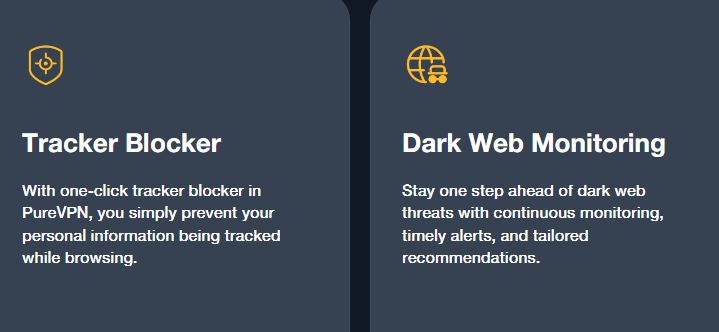
By 2013, they had over 200,000 users, prompting them to add new features like the kill switch, OpenVPN protocol, and NAT firewall. A few years later, they surpassed one million users, which allowed them to update their VPN with new apps and extensions. PureVPN’s main goal is to protect your online privacy, anonymise your IP address, and allow access to regionally or censored blocked content.
What Does PureVPN Include?
According to the PureVPN reviews we analysed and the official information on their website, it is a complete VPN, designed to provide good speed, security and a large network of servers. When choosing a VPN, it’s important to know all its features and payment plans. We’ve detailed them in the table below:
| Features | Details |
|---|---|
| Servers | +6,500 |
| Countries | +78 |
| Simultaneous devices | Up to 10 |
| Encrypted | AES-256: |
| Available protocols | WireGuard, OpenVPN (UDP/TCP), IKEv2/IPSec |
| Kill Switch | Yes |
| Speed | Unlimited bandwidth |
| Split tunnelling | Yes |
| Dedicated IP | Optional from $4.99 (€4.28) per month |
| Leak protection | Yes, DNS and IPv6 |
| Compatibility | Windows, macOS, Android, iOS, Linux, Firefox, Chrome |
| Plans | 3 options (Standard, Plus, Max) |
| Monthly plan | from $12.95 (€11.11) |
| Annual plan | from $2.55 (€2.19) + 4 months free |
| Two-year plan | from $2.15 (€1.85) + 3 months free |
| 5-year plan | from $1.49 (€1.28) + 3 months free |
| Money-back guarantee | 31 days |
| Customer support | 24/7 live chat or email |
| No-logs policy | Externally audited |
Security and privacy
Its AES-256 encryption and OpenVPN or WireGuard protocols ensure your data travels through the network fully protected. Also, with split tunneling, you can choose which traffic goes through the VPN and which uses a regular connection. It also has a kill switch, which immediately cuts access if the internet disconnects, preventing your IP from being exposed.
How It Works With Streaming Services
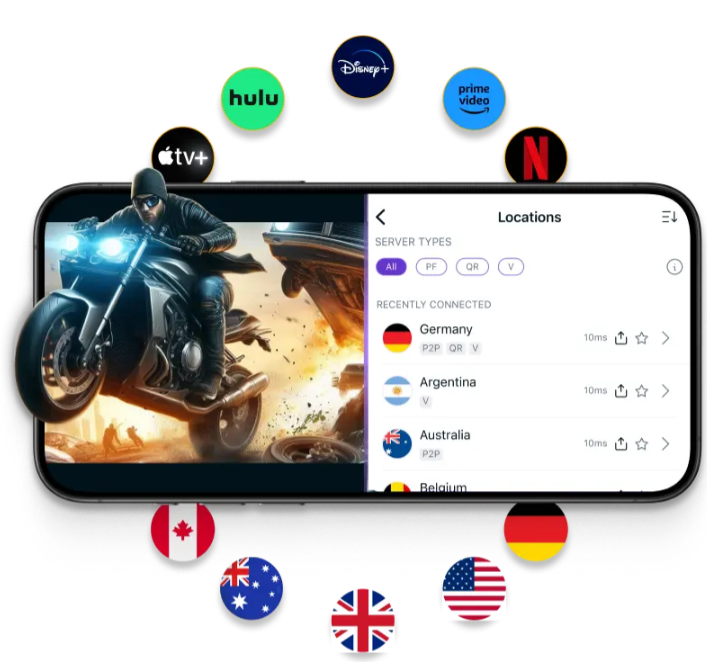
PureVPN offers servers optimised for streaming, P2P, or extreme privacy. Some are configured to provide faster speeds or unblock content on platforms like Netflix, Amazon Prime, Disney+, or Hulu. You can select server type based on your needs from the app, choosing the location and platform.
No-logs policy
Besides being under the jurisdiction of the British Virgin Islands, a country not obliged to store any user data, PureVPN complies with GDPR (General Data Protection Regulation). Its no-logs policy has been verified by a prestigious auditing firm, examining servers, configurations, and infrastructure across multiple locations, earning ISO 27001 certification. This proves compliance with international information security standards and protection against potential threats.
Important: If you are a frequent traveler and want to stay connected without worrying about expensive roaming or looking for a new SIM at every destination, Holafly’s subscription plans are for you. With a single eSIM, enjoy internet in more than 170 countries for a fixed price and no surprises on your bill. Travel without limits and connect easily and securely! 🚀🌍

How to Use PureVPN
We’ve prepared a clear and quick guide with the main instructions to start using it. It’s a simple, easy-to-follow process, as many PureVPN reviews indicate. If any installation issues occur, technical support is available 24/7 to help.
1. Create an Account and Choose a Plan
From the PureVPN website, select the plan you want and add, if desired, a dedicated IP or other extra features. Fill in your personal data, payment method, and complete the purchase. You’ll receive an email with your credentials and a download link for the app.
2. Install the App and Connect to Servers
Depending on your operating system—Windows, macOS, Android, iOS, or routers—you’ll need to download the app from the corresponding link and accept the permissions requested. Make sure your VPN is active in the app, then choose the server type for your internet needs, for example streaming to watch platforms, File-Sharing for torrents, or Security/Privacy for maximum protection.
3. Choose the Protocol and Other Settings
In the “settings” section, you can select your desired protocol: WireGuard (speed), OpenVPN (compatibility), or IKEv2/IPSec (mobile). If unsure, leave it on auto for the app to decide. You can also enable the kill switch to prevent IP leaks if the connection drops or use split tunneling to assign which apps or IPs use the VPN and which have direct access.
Advantages and Disadvantages
Based on PureVPN reviews, users mention a series of advantages and disadvantages that help you better understand its benefits and limitations. Compare the table below to see which features suit your personal or professional VPN needs:
| Pros | Cons |
|---|---|
| Affordable VPN compared to others on the market | Less intuitive interface than brands like ProtonVPN |
| Allows choosing servers optimised for streaming, P2P, or extreme privacy | Some advanced features are only available on certain devices |
| Optional dedicated IP | Performance may vary depending on the selected server |
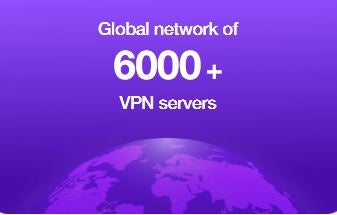
| Extensive network with over 6,000 servers in more than 70 countries | Not all servers work with all streaming platforms |
| Low impact on speed | No free plan |
| Compatible with routers, Smart TVs, consoles, and over 20 device types | |
| Supports simultaneous connections on up to 10 devices |
User Experience and PureVPN Reviews
Reading PureVPN reviews from users who have worked with it for some time, we find a rating of 4.3 out of 5 on platforms like Trustpilot. Many highlight its functionality, speed, and support, while some mention occasional disconnections or streaming issues. Here are some examples:
PureVPN Reviews on Streaming
“I recently signed up for PureVPN and I’m really impressed with the overall quality of service. The connection is fast and stable, the app is easy to use, and switching servers is smooth without interruptions. Streaming works perfectly, and extra security features give me great peace of mind while browsing.” (Source: Jeque – Trustpilot)
“I joined PureVPN hoping for a fast and reliable VPN service, but it’s been nothing but a headache. The speed is incredibly slow, barely usable for anything but browsing. Streaming is out of the question, and forget gaming or anything needing a solid connection.” (Source: Arrendajo – Trustpilot)
PureVPN Reviews on Customer Support
“Uzair was fantastic! I had trouble renewing my subscription and he helped me with photos and detailed instructions. He made it so easy that even a beginner like me could do it. Thanks, Uzair!” (Source: Bradford – Trustpilot)
“Saad was quick to help, flexible, and solved my query within minutes. He knew the product well and did everything possible to assist me.” (Source: Jaroslaw – Trustpilot)
PureVPN Reviews on Digital Nomad Usage
“I travel internationally and use it for banking and TV. It has always worked well, and if I ever had an issue, customer support was quick to help and resolved it.” (Source: Joe Matt – Trustpilot)
“I travelled to China and most services outside China seemed blocked or slow, but I contacted online support and they instantly helped me set up a good profile to bypass the government firewall. Brilliant!” (Source: Chung Yeh – Trustpilot)
Alternatives to PureVPN
If you still have doubts and want to compare its features with other VPNs, here are three alternatives worth considering for security, speed, price, or server network. Among them, ProtonVPN stands out as one of the best VPNs today, with a strong reputation and positive reviews.
1. ProtonVPN
If you want maximum security, ProtonVPN is based on Swiss data protection laws and has a strict externally audited no-logs policy. Its extensive network of over 15,000 servers in 120 countries is unmatched by most VPNs. Thanks to VPN Accelerator, speeds can increase up to 400% for downloads or streaming on ideal conditions. You can try its free plan or upgrade from $3.48 (€2.99) for the 2-year plan.
2. MullvadVPN
Another option is Mullvad VPN, created in Sweden, and one of the few VPNs that doesn’t require personal data to create an account. It uses open-source protocols like WireGuard and OpenVPN with AES-256 encryption, ensuring high protection for your connection. It has over 600 servers in 48 countries, with a fixed plan at $5.75 (€5.00) per month.
3. NordVPN
Finally, consider NordVPN, which has specialised servers like Double VPN, Onion Over VPN, P2P optimised, and Meshnet. It operates 8,600 servers in 168 countries and thanks to its NordLynx protocol, more optimised than WireGuard, loading times are faster, downloads maintain speed, and latency is lower. Plans start from $3.46 (€2.99) with three months free on the 2-year plan.
Frequently Asked Questions About PureVPN
Multiple reviews confirm that PureVPN works in China, thanks to its obfuscated servers and protocols designed to bypass censorship.
No, but it offers a 31-day money-back guarantee from the date of purchase.
Yes, this VPN provides servers optimised for streaming, letting you easily unblock Netflix, Disney+, Hulu, BBC iPlayer, and other platforms in different countries.
PureVPN allows up to 10 devices to connect simultaneously with a single account and is compatible with smartphones, Smart TVs, and routers.
No, its no-logs policy is externally audited and confirms it does not store any data from your internet activity.










