







 Language


 No results found
Octohide VPN review: Features, pricing & performance
Want a VPN without technical complications? See what the reviews say about Octohide VPN and try it with their free plan.

It ‘s essential to have a good VPN to protect your internet connection, avoid tracking, and access geo-restricted content, so today we want to talk about a brand that is gaining popularity among users. In this article, we review Octohide VPN, which users describe as an easy-to-use tool without technical complications.
This VPN takes a minimalist approach to provide secure and simple browsing protection. We explain its origins, the features it offers, such as server numbers, encryption, or protocols, as well as the available plans and their prices. We’ll also analyse its advantages and limitations, explore similar alternatives on the market, and include a simple guide to get you started. Check if Octohide VPN measures up to other established brands!
What ‘s Octohide VPN and what is it for?
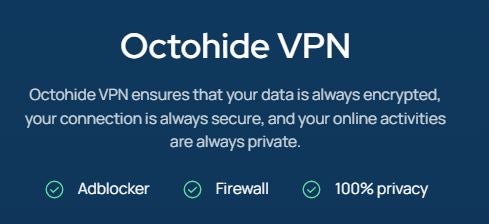
Octohide VPN is a virtual private network service launched in 2021, headquartered in Lithuania. Its goal is to provide a simple and lightweight alternative to traditional and complex VPNs. They removed complicated logs and personal data requests so you can connect safely with a single click, avoiding technical hurdles.
Gradually, it has evolved by adding more server locations and improving its encryption technology. It has also expanded its applications for different types of devices and strengthened key functions to boost security, such as hiding your real IP and accessing country-restricted content. In short, if you want a secure and easy-to-use VPN, Octohide VPN allows you to browse privately without complications.
What does Octohide VPN include?
Next, we’ll review the most important features to consider when choosing a VPN. Although the brand’s official website provides limited information, we found several user reviews of Octohide VPN that helped us expand the following table in more detail:
| Features | Details |
|---|---|
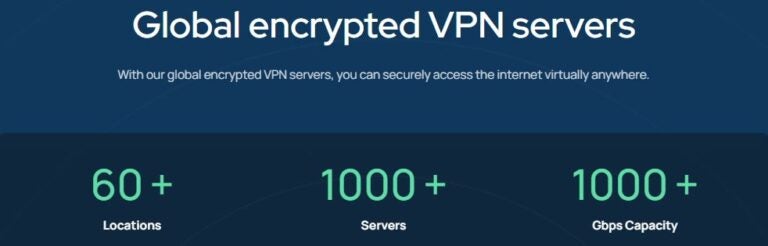
| Servers | +1,000 |
| Countries | +60 |
| Simultaneous devices | Unlimited |
| Encrypted | Military-grade AES-256 |
| Available protocols | WireGuard, OpenVPN |
| Kill Switch | Yes |
| Speed | Unlimited bandwidth |
| Performance | 10 Gbps |
| Ad Blocking | Yes |
| Compatibility | Windows, Linux, iOS, Android, Huawei, consoles, routers, SmartTV |
| Free version | Yes, with eight countries |
| Monthly plan | from $9.30 (€7.99) |
| Annual plan | from $31.43 (€26.99) |
| Money-back guarantee | Yes, 30 days |
| Customer support | 24/7 live chat or email |
| No-logs policy | Externally audited |
High compatibility on PC and mobile
You can use this VPN on your computer, as many Octohide VPN reviews suggest, on Windows, macOS, and Linux, as well as official apps for Android, iOS, and Huawei. It also allows router-level configuration, so all devices connected to your home network, such as Smart TVs or consoles, are fully protected with a single subscription.
No-logs policy and extra security
Based in Lithuania, its policy follows strict privacy laws and ensures no data is logged, and it has been externally audited. It also received Google’s MASA certificate (Mobile App Security Assurance) guaranteeing that its mobile app meets high cybersecurity standards for safe browsing, from data protection to overall app performance.
Encryption type and protocol
This VPN uses modern protocols like WireGuard and also supports OpenVPN, giving you faster, more stable, and more secure browsing with lighter code. Its encryption is military-grade AES-256, one of the most secure available, used by governments, banks, and major organisations to protect classified information.
Important: If you are a frequent traveler and want to stay connected without worrying about expensive roaming or looking for a new SIM at every destination, Holafly’s subscription plans are for you. With a single eSIM, enjoy internet in more than 170 countries for a fixed price and no surprises on your bill. Travel without limits and connect easily and securely! 🚀🌍

How to use Octohide VPN?
Once you’ve decided to use this VPN, let’s see how to get started. As we mentioned earlier, many Octohide VPN reviews praise its ease of use, so don’t worry if it’s your first time downloading this type of digital security tool. Below, we explain how to subscribe, install, and connect to its servers.
Subscribe to Octohide VPN
Visit the official page of Octohide VPN, choose between the free, monthly, or annual plan in the dropdown, fill in your personal details, and select your preferred payment method (Stripe, cryptocurrency, Alipay, WeChat, card, or Google Pay). You’ll immediately receive an email with the VPN link.
Connect to servers
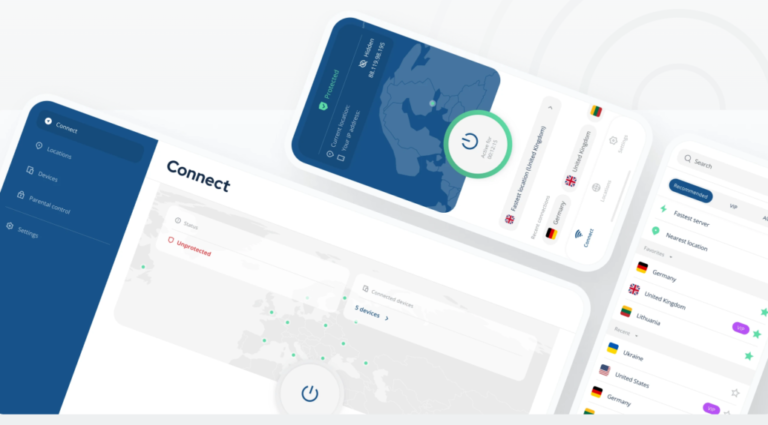
Select a server by country and city from the app list. You can choose based on speed, access to geo-restricted content, or P2P/torrent-optimised servers. Press the connect button and verify that your IP has changed and the kill switch is active. To disconnect or switch servers, simply repeat these steps.
App installation
Open the link received by email and start downloading the app depending on your operating system. For mobile devices, use Google Play or App Store, and for computers, download the WireGuard configuration from the official website. Once installed, enter your account details and configure the app to suit your needs:
- Activate Kill Switch for maximum security.
- Enable ad-blocker to improve privacy and browsing.
- Choose WireGuard or OpenVPN protocol as required.
Advantages and Disadvantages
| Pros | Cons |
|---|---|
| Easy to use, simple interface | Smaller number of servers |
| Modern and secure protocol | PC setup requires importing configuration in WireGuard/OpenVPN |
| Unlimited simultaneous connections | No dedicated IP by default |
| Unlimited bandwidth | Only monthly or annual plans, no biennial option |
| Built-in ad-blocking, protects privacy | Higher prices than other VPNs |
| No-logs policy | Free plan with limited features such as eight countries |
| Cross-platform compatibility | Limited information on website |
| 30-day money-back guarantee | |
| Free version |
User experience and Octohide VPN reviews
Although there are fewer Octohide VPN reviews than for other well-known brands, we found some, mainly on Google Play, that highlight positives like its speed for streaming or limitations of the free plan. Here’s a sample:
Octohide VPN reviews for streaming
“Hi everyone, I’ve been using Octohide VPN for about 3 months and it worked very well for browsing and streaming. I found a very cheap way to get a 3-month activation and wanted to see if anyone else uses it or wants more details. If you need more info, I’ll post in the comments.” (Source: Descuentos Argentina – Reddit)
“It’s a highly recommended app; it delivers what it promises, has no ads, lets you download and watch videos on any app, and maintains a good connection. Acceptable speed, much better than ad-heavy apps, very recommended…” (Source: Jose Felipe – Google Play)
“I’m testing it so far it connects on mobile data and Wi-Fi without connection drops or app/video downloads failing. When it takes time to connect, I switch the server by country. Others reported ads after some use, a bit annoying.” (Source: Jorge Suárez – Google Play)
Octohide VPN reviews for digital nomads
“Excellent VPN app. I’d like more servers in Latin America, for example Chile or Ecuador. Everything else is great!” (Source: Jose Tovar – Google Play)
“This app works very well in Venezuela and I have a US Netflix account. I had a location problem, but this app resolved it.” (Source: Jose Moises: Google Play)
“I’d love Latin servers since millions of us are abroad and want to feel at home and enjoy programming from our countries.” (Source: Adalbetran – Google Play)
Alternatives to Octohide VPN
As you’ve seen, based on Octohide VPN reviews and official website information, it’s a solid tool that delivers what a VPN should offer regarding security, speed, and privacy. You can try the free plan first, but if you’re unsure, here are other options to compare features.
1. ProtonVPN
ProtonVPN is based on Swiss data protection laws, with a strict externally audited no-logs policy. It offers a network of over 15,000 servers in 120 countries, boosting speeds up to 400% via its VPN Accelerator, ideal for downloads or streaming without lag. Plans include free or paid options, up to 10 simultaneous connections, starting at $3.48 (€2.99) for the two-year plan.
2. Windscribe
Like Octohide VPN, Windscribe offers a free plan with servers in over 69 countries. It includes military-grade AES-256 encryption, secure privacy policies, unlimited connections, and 10 GB of free data. Extra features are available in paid plans, starting at $2.42 (€2.08) per month for the annual plan.
3. PrivadoVPN
Finally, PrivadoVPN provides 240 server locations worldwide and a free plan. Its paid option includes ad-blocker, AES-256 encryption, social filters, and unlimited data and devices, starting at $1.29 (€1.11) for the biennial plan, with up to 10 simultaneous connections.
Frequently asked questions about Octohide VPN
It may work, but connectivity is not always guaranteed due to Great Firewall restrictions.
Yes, there’s a free option with basic features, limited servers, eight countries, and standard protection. For advanced features, you need a paid plan.
Octohide VPN allows unlimited simultaneous connections, including mobiles, PCs, Macs, tablets, and routers, protecting all devices with one subscription.
It uses WireGuard and OpenVPN protocols with military-grade AES-256 encryption, ensuring maximum security and speed.
No, it has a strict no-logs policy based on Lithuanian law, storing no browsing history, IP, or personal data.










