







 Language


 No results found
Avira VPN review: Features, pricing & performance
We bring you reviews of Avira Phantom VPN! Discover its features, benefits and limitations in this article.

Choosing a good VPN depends on your usage and requirements, such as speed, security, ease of use, and price. Today, we’ll review Avira Phantom VPN’s features and user opinions, based on official data and verified reviews. We’ll assess its quality, offerings, included services, and whether it has a free or paid version. We’ll also explain step by step how to install and activate it on your device, its advantages, limitations, and compare it with similar alternatives available online.
Stay with us to explore this VPN and see if it suits your browsing style and level, as Avira Phantom VPN can be a good choice if you want something simple and hassle-free. As you progress through this article, you’ll learn about its features and performance in detail. Let’s get started!
What is Avira Phantom VPN and what is it for?
Avira is a well-known German company founded in 1986, with antivirus software as its most popular product. Over time, it expanded into digital tools and launched its VPN as an extension of the antivirus to provide greater security, protect your online identity, and access geo-restricted content. Currently, Avira Phantom VPN has evolved into an independent service available for Windows, macOS, Android, iOS, and browsers.
Its operation is very simple: When you activate the VPN, it creates a secure encryption between your device and an Avira server, so all incoming and outgoing traffic is protected and anonymous. Nobody can track your browsing, as your IP belongs to the VPN server. Moreover, its easy-to-use interface allows fast connection without complex or advanced configuration.
What does Avira Phantom VPN include?
If you check the official Avira website, you can easily see the main features of this product. According to most Avira Phantom VPN reviews, its features are sufficient to secure your connection on public Wi-Fi networks, where any hacker could access your personal data, passwords, and bank accounts. Here’s a summary of what this VPN offers:
| Features | Detail |
|---|---|
| Number of servers | 1,400 servers |
| Available countries | 37 countries |
| Data limit on free plan | 500 MB/month (or unlimited if you sign up) |
| Kill Switch | Yes (Windows and macOS only) |
| Protocols | OpenVPN |
| Encrypted | AES-256: |
| P2P support | Limited |
| Simultaneous logins | Unlimited on paid plan |
| Optimised servers for streaming | No |
| Bandwidth | Unlimited on paid plan |
| Own DNS | Yes |
No-logs policy
Avira claims it does not log your browsing activity, which is very positive for privacy. However, it does store some metadata necessary for network operation, such as diagnostics and performance metrics. Its no-logs policy operates under European privacy laws, ensuring greater trust.
Customer service and support
According to some Avira Phantom VPN reviews, customer service isn’t as fast or effective as other well-known brands. If you have the free version, you don’t have direct access; support is only available in the Premium option via email and chat.
Device and Platform Compatibility
You can install it on Windows, macOS, Android, and iOS, but some Avira Phantom VPN reviews warn it’s not compatible with routers, which limits use on Smart TVs, consoles, or entire home networks. This means you can’t use the VPN on devices that don’t allow app installation, or access content from other countries on your TV or game online with a different IP.
Important: If you are a frequent traveler and want to stay connected without worrying about expensive roaming or looking for a new SIM at every destination, Holafly’s subscription plans are for you. With a single eSIM, enjoy internet in more than 170 countries for a fixed price and no surprises on your bill. Travel without limits and connect easily and securely! 🚀🌍

How to use Avira Phantom VPN
As mentioned earlier, one of the most valued aspects in Avira Phantom VPN reviews is its ease of sign-up, installation, and use. Here’s a personalised guide so you can start using it immediately.
1. Account creation and subscription
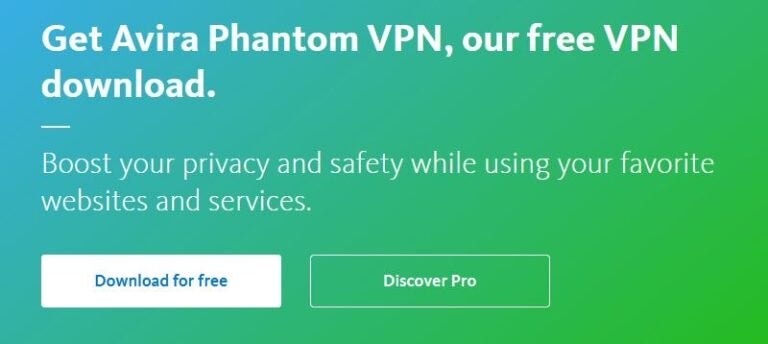
First, choose which VPN you want: The free version with 500 MB data limit or the Premium version with unlimited traffic. To try it for free, you can download it automatically from Avira’s website. Registering your email gives you an extra 1 GB.
For the paid version, access the website, click “Discover Pro,” and purchase it for $9.22 (€7.95) per month. You can also buy it on your smartphone via App Store or Google Play. Afterwards, the app will ask permission to install the VPN on your device.
2. Connecting to servers
Connection is very simple: Just open the app and press the “turn on VPN” button. By default, Avira connects you to the most optimal server based on your location to maximise speed.
If you want to select a location manually, open the location selector in the app and choose your preferred country. Premium users have access to up to 1,400 servers across 37 countries, but free users have fewer options. Avira recommends trying another location if the error “VPN cannot connect to server” appears.
3. Verify protection
After connecting Avira Phantom VPN, the app shows your status and selected location. We recommend checking externally via “what is my ip“ to confirm your public IP and location have changed. If an error occurs, try another server and restart the app.
Advantages and Disadvantages
Wondering if this VPN is right for you? Based on Avira Phantom VPN reviews, it can be more than enough for basic browsing security, perfect if you want to protect yourself on public Wi-Fi. However, it might be a bit limited for high-performance streaming or console and Smart TV use. Here’s a summary of the main pros and cons:
| Pros | Cons |
|---|---|
| Free version allows testing without commitment. | Free option has data limit |
| Simple, user-friendly interface, ideal for inexperienced users. | Not compatible with routers |
| Strong AES-256 encryption and “kill switch” | Fewer server locations than high-end VPNs |
| Good performance for general browsing and online work | No advanced features like dedicated IP, split tunnelling, or ad-blocker |
| Automatic connection on untrusted networks | Not the best choice for international streaming |
| Available on Windows, macOS, Android, and iOS with quick installation | Limited customer support for free version |
User experience and Avira Phantom VPN reviews
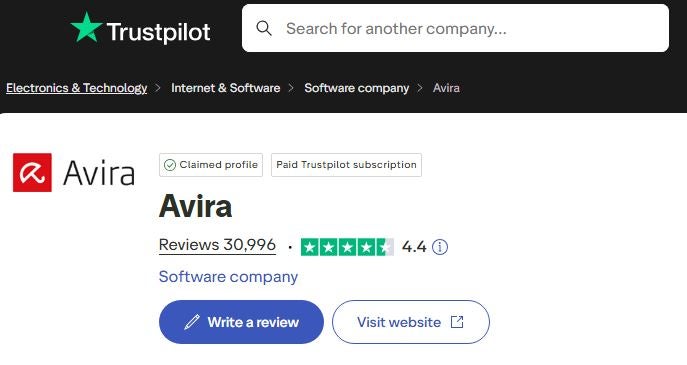
Here we present real user reviews of Avira Phantom VPN from verified platforms like Trustpilot, with a rating of 4.2 out of 30,000 reviews. Most users praise its simplicity and ease of installation, while others note limitations regarding speed or customer support:
Customer service reviews
“I decided not to renew and can’t find a way to cancel the renewal. My account is inactive so I cannot contact customer service. They charged my renewal, and I cannot activate the service, unsubscribe, or get a refund, nothing” (Source: Jose – Trustpilot)
“I used AVIRA Manager Pro/VPN. The VPN doesn’t work, I can’t select the virtual country, and I cannot see the virtual IP. There’s no way to send a support message.” (Source: Como estás – Trustpilot)
Remote work reviews
“Overall it’s very good, but I have compatibility issues with Avira and Thunderbird used at work for emails. I have to disable the email option for them to go through.” (Source: Paula Felippa – Trustpilot)
“Simple operation, PC monitoring through scanning to detect junk data and pending updates.” (Source: Horst Schröder – Trustpilot)
Generic usage reviews
“My computer is protected, and most importantly, it doesn’t lose speed, which is essential for me.” (Source: Avraham Israel – Trustpilot)
“I won’t overpraise it. The software works perfectly and offers excellent value for money. That’s all you need.” (Source: Wolfgang Scharf – Trustpilot)
Alternatives to Avira Phantom VPN
Now that you have a clearer idea of Avira Phantom VPN reviews, here are other current alternatives that compete in terms of security level and server count. Review each and compare it with Avira VPN to see if a better option suits your browsing needs.
1. ProtonVPN
One of the best market alternatives to Avira is ProtonVPN, which focuses on security and anonymity. Based in Switzerland, it has a strict no-logs policy and strong AES-256 encryption for all traffic. ProtonVPN offers 11,000 servers in 120 countries and supports Windows, macOS, Android, iOS, and Linux. It has a free plan for basic protection, or you can choose a higher tier with paid plans starting at $3.47 (€2.99) per month.
2. TunnelBear VPN
Another option is TunnelBear VPN, which offers a free version with a 2 GB/month limit and an annual plan for $4.00 (€3.45). It has over 8,000 servers in 47 countries and includes an IP protection feature via its kill switch called VigilantBear. It’s easy to use and recommended for basic protection, similar to Avira Phantom VPN’s free version.
3. MullVad VPN
Lastly, we present Mullvad VPN, a Swedish open-source VPN that doesn’t require email registration. It supports major operating systems and uses modern protocols like WireGuard and OpenVPN. Additionally, it offers advanced security features like Kill Switch, Multi-Hop, and AES-256 encryption. Mullvad allows anonymous payments via cash, Bitcoin, and Monero and costs $5.80 (€5.00) per month.
Frequently Asked Questions about Avira Phantom VPN
Avira states it doesn’t store your browsing history or activity, but according to many user reviews and the official website, connection data may be collected for statistics.
Yes, it may temporarily store your IP address to facilitate connection to nearby servers.
Avira Phantom VPN has approximately 1,400 servers across 37 countries.
It uses highly secure AES-256 encryption with OpenVPN and WireGuard protocols, which are faster and more modern.
Yes, it offers a free version with a 500 MB/month limit if you don’t verify your email, or 1 GB if you do.










