Language


 No results found
What is a VPN, and why use it?
Do you want to keep your connection stable and secure? We have the perfect tool for you. Discover VPN: what it is and how to use it.

Nowadays, it’s hard to understand the world without the internet. It has become a basic necessity for work and entertainment. But have you ever considered how secure your connection really is? Using public Wi-Fi or browsing from an unprotected device can expose you to risks, such as data theft or online activity tracking. Fortunately, as our online activity increased, protective tools evolved too. One of the most effective tools is a VPN. What is it?
This technology has gained popularity in recent years, especially among users who value secure browsing. Besides protecting personal information, it also allows access to content without geographical restrictions. Sounds great, right? VPNs have become almost essential. Therefore, today we want to explain them. We’ll cover their benefits, how to use them, and the best options available. Join us to uncover the secrets of this powerful tool.
What is it and what is it used for?
When you hear VPN, you probably think about security or privacy. But do you really know what it means? VPN stands for Virtual Private Network. In simple terms, it’s a technology that lets you browse the internet as if you were on a private network, even while connected to a public one. This means greater security, anonymity, and online freedom.
A VPN doesn’t work as complicated as it sounds. Imagine your internet connection as sending letters through a postman. Without a VPN, anyone could read them. With a VPN, those letters stay inside a locked box. Only you and the recipient have the key. Therefore, your online activity stays encrypted and protected from prying eyes.
VPNs go beyond security. They let you simulate another country to access geo-restricted streaming content, block advertisers and trackers, and perform sensitive tasks safely. Do you work online? By using a reliable remote work VPN, you can access intranets or maintain stable cloud connections.
VPN technology appeared in the 1990s. Companies needed secure ways to connect employees to corporate networks remotely. At first, only large corporations used them. However, growing privacy concerns made VPNs popular among everyday users.
Today, VPNs are accessible to everyone. They have become essential for safe browsing in an increasingly digital world.
Types of VPN
Now that you know a VPN is highly recommended, you may wonder: Are all VPNs the same? Any will do? The answer is no. Not all VPNs work equally or serve the same purpose. Before choosing one quickly, it’s important to understand the available types and how they can improve your online experience. Let’s review the main options you’ll find:

1. Remote access VPN
This is the most popular VPN type for individual users and remote workers. Its main purpose connects a single device, such as your laptop or phone, to a private network through the internet. For example, you can access office resources from home or stay protected while browsing public Wi-Fi.
- How does it work? A VPN client encrypts data and creates a secure tunnel between the user and the private network.
- Who is it useful for? Remote workers, digital nomads, and anyone who wants secure browsing on public networks.
2. Site-to-site VPN
Also known as a router-to-router VPN, this type is designed to connect entire networks, rather than individual devices. Companies with offices in different locations commonly use it to share data securely.
- How does it work? It establishes a secure tunnel between networks. It allows all devices in both offices to communicate as one network.
- Who is it useful for? Businesses with multiple offices or corporations working with subsidiaries.
3. VPN for mobile devices
This VPN is specially designed for smartphones and tablets. It adapts to mobile behaviour. Since mobile devices frequently change networks, such as from your Holafly eSIM to Wi-Fi, these VPNs ensure stable and secure connections at all times.
- How does it work? It uses lightweight and fast protocols that consume less battery and data.
- Who is it useful for? Users who work or browse mainly from smartphones or tablets.
4. Cloud VPN
This VPN type is designed for companies that rely primarily on cloud services. Instead of connecting physical devices, cloud VPNs protect applications and data hosted on remote servers.
- How does it work? It creates a secure tunnel between the corporate network and cloud applications.
- Who is it useful for? Companies using Google Workspace, Microsoft Azure, Amazon Web Services, or other remote work tools.
5. P2P VPN
This VPN is very useful for users who download or share large files through peer-to-peer networks. This type of VPN optimises speed and privacy during data transfers.
- How does it work? It offers dedicated servers that allow fast and secure transfers, avoiding restrictions or blocks.
- Who is it useful for? Users of platforms like BitTorrent who seek anonymity and speed.
6. Business VPN
These VPNs are comprehensive solutions designed for companies that want to protect their entire corporate network. They offer advanced features, such as access controls, activity monitoring, and protection against cyber threats.
- How does it work? It configures virtual private networks tailored to business needs and integrates them with existing infrastructure.
- Who is it useful for? Businesses that prioritise security and efficient network management.
As you can see, many options exist on the market. The best VPN type depends on your specific needs. Do you want protection while travelling? Choose a remote access VPN. Do you manage multiple offices? A site-to-site VPN will suit you best.
VPN protocols
If you’ve already started researching VPNs, you’ve probably seen a technical term you may not fully understand: protocols. VPN protocols define how your device connects to VPN servers. In simple terms, they are the rules that determine security, speed, and connection stability. Not all protocols work the same. Some prioritise speed, while others focus on encryption strength or device compatibility. Let’s look at the most common ones:

OpenVPN
OpenVPN is one of the most widely used and reliable protocols available. It combines strong security with solid speed. Therefore, it works well for both individual users and businesses.
- Main features:
- Uses military-grade AES-256 encryption.
- Works on most operating systems: Windows, macOS, Android, iOS, and Linux.
- Provides excellent stability, even on low-quality networks.
- Advantages:
- It’s open-source. What does this mean? This means that a global community of experts regularly review and improve it.
- Ideal for connections through public networks.
- When should you use it? If you need secure browsing, remote work, or access to geo-restricted content, OpenVPN is an excellent choice.
IKEv2 (Internet Key Exchange version 2)
IKEv2 stands out for its speed and ability to reconnect automatically if the connection drops. This makes it perfect for mobile devices, where network changes happen frequently.
- Main features:
- Compatible with Windows, macOS, iOS, and Android.
- Uses IPSec to ensure strong security.
- Maintains stable connections when switching between Wi-Fi and mobile data.
- Advantages:
- Extremely fast, making it ideal for streaming and downloads.
- Keeps connections active on mobile devices.
- When should you use it? If you move frequently or rely on your smartphone for work or browsing, IKEv2 is an excellent option.
WireGuard
WireGuard is one of the newest VPN protocols. It has gained popularity thanks to its lightweight design and exceptional speed.
- Main features:
- Uses modern code that is far more efficient than older protocols.
- Provides advanced encryption with ChaCha20.
- Easy to configure and uses minimal system resources.
- Advantages:
- Outstanding speed, perfect for online gaming and streaming.
- Simpler code. Helps to reduce potential security vulnerabilities.
- When should you use it? If you prioritise speed without significantly compromising security, WireGuard is the protocol you need.
L2TP/IPSec
This protocol combines L2TP (Layer 2 Tunnelling Protocol) with IPSec to add an extra security layer. Although it isn’t the fastest option, it remains reliable.
- Main features:
- Compatible with most devices.
- Offers strong encryption, although slower than other protocols.
- Advantages:
- Highly secure for administrative tasks or remote work.
- Easy to implement within corporate networks.
- When should you use it? If you handle sensitive data and don’t mind sacrificing speed for higher security.
PPTP (Point-to-Point Tunnelling Protocol)
Finally, there is PPTP. It’s one of the oldest and least secure protocols. However, some users still choose it because it’s easy to set up.
- Main features:
- Works on older devices.
- Provides fast speeds due to light encryption.
- Advantages:
- Very easy to configure, even for beginners.
- Suitable for non-critical tasks, such as unblocking restricted content.
- When should you use it? If you only need basic VPN functions and don’t handle sensitive information.
Choosing the right protocol depends on your priorities. For maximum security, OpenVPN and IKEv2 work very well. Do you prefer speed? WireGuard leads the way. Do you use an older device or want something simpler? PPTP could be just what you need. Understanding your needs helps you configure your VPN and get the most from it.
Why use a VPN when connecting to the internet?
As mentioned earlier, VPNs have become almost essential tools for internet browsing. But what makes them so important? The answer lies in everything they offer. From protecting your privacy to unlocking location-blocked content. VPNs provide a versatile solution for a digital world full of challenges. Let’s explore the main reasons why you should consider using a VPN daily.
1. Privacy while browsing the internet
Browsing without a VPN is like walking around with a sign showing your personal information. The websites you visit, your passwords, and even banking details may remain exposed to hackers or aggressive advertisers.
- How does a VPN protect your data? When you use a VPN, it encrypts your connection. This means all your online activity stays protected. This is especially useful when connecting to public Wi-Fi networks in cafés, colivings, airports, or libraries. Although convenient, these networks attract cybercriminals.
- Who is it useful for? Anyone who values privacy. Especially users making financial transactions with US banks or European institutions. It also helps people handling confidential information.
2. Access to geo-restricted services
Have you ever tried watching a series or film and seen the message: ‘This content isn’t available in your region’? This happens because many streaming platforms limit content based on location.
- How does a VPN help avoid these messages? A VPN lets you simulate being in another country. Want to access the US Netflix catalogue or watch a Japan-exclusive series? A VPN makes this possible. It also allows access to foreign company intranets and networks.
- Who benefits from unlocking international content? Frequent travellers, digital nomads, and global content lovers who don’t want to miss anything.
3. Security on public networks
Do you often use free Wi-Fi in cafés, hotels, or airports? Although convenient, it’s risky. These networks are vulnerable to attacks that intercept your connection. You need a reliable VPN.
- How does a VPN protect you on public Wi-Fi? By encrypting your data, a VPN creates a secure tunnel that protects your connection, even on unsafe networks.
- Who is it useful for? Remote workers, students, and anyone who connects from public places.
4. Avoiding censorship and restrictions
In some countries, certain websites or apps remain blocked. You may lose access to social media, communication platforms, or even basic services like Google.
- How does a VPN help here? It bypasses restrictions by connecting you to servers in countries where content is available. Using a VPN in China or other restricted countries ensures full access.
- Who is it useful for? Travellers visiting restrictive countries or users who want unrestricted internet access.
5. Saving money on online purchases
Did you know flight or hotel prices may depend on your location? Many platforms adjust prices based on where you connect from. This means you may pay more simply because your connection shows a wealthier country. Sounds unfair, doesn’t it? A VPN can become your best ally, you can:
- Optimise travel expenses: Connect your VPN to countries with lower fares for flights and accommodation. Booking platforms such as Skyscanner and Booking often adjust prices by location. You can secure cheaper hotels and cheaper flights using a VPN.
- Save on digital products: Some streaming subscriptions, software, or games have regional pricing. A VPN helps you access lower rates.
- Avoid price discrimination: Online shops often inflate prices based on browsing history or location. A VPN prevents this by enabling anonymous browsing.
6. Avoiding advertising tracking
Have you noticed how adverts seem to know exactly what you need? This happens because many companies track your activity to show personalised advertising.
- How does a VPN help? It hides your IP address and encrypts your activity. This makes tracking far more difficult.
- Who benefits from this? Anyone who wants to browse without being bombarded by personalised adverts.
7. Faster and more stable connections
You may have noticed. Your internet slows down while streaming, downloading large files, or gaming online. This isn’t random. Many internet service providers apply ‘throttling’. This technique intentionally limits your speed when detecting high-bandwidth activities. Although ISPs call it network management, users often find it frustrating.
How does a VPN help here? When you use a VPN, it encrypts all your internet traffic. This prevents your provider from seeing your activity. Since they can’t detect streaming or gaming, they can’t slow your connection. In short, a VPN hides your activity and helps maintain maximum available speed.
Which devices support a VPN?
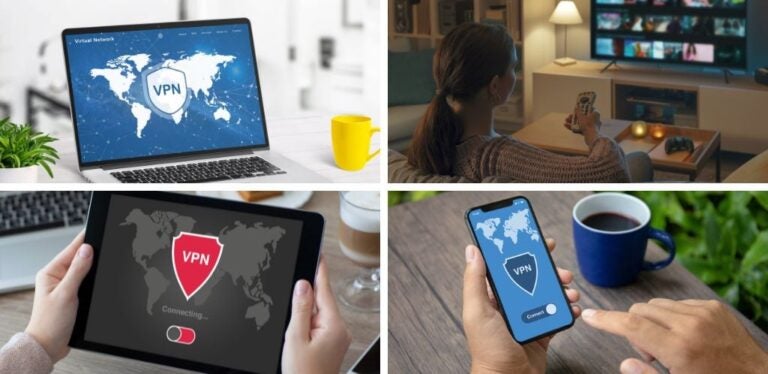
By now, we understand many aspects of VPNs: What they are, available types, their benefits, and supported protocols. But where can you use them? You’ll be pleased to know you can install a VPN on almost any device you use to connect online. Are you working on your computer? Watching a series on a tablet? Browsing on your phone? It doesn’t matter. A VPN adapts to your needs, regardless of the device.
Moreover, this technology doesn’t only protect individual devices. You can also configure a VPN on routers to secure your entire home network or even on gaming consoles. Let’s see where and how you can install it.
Computers (Windows and macOS)
Computers are the devices we use most for work, browsing, and managing important documents. We spend hours online using them, which makes them prime targets for digital threats. Installing a VPN on your computer strengthens connection security and provides freedom from geographical restrictions or corporate network blocks.
A computer VPN offers benefits beyond privacy. It lets you work safely on public Wi-Fi, unlock restricted content, and ensure sensitive data, such as passwords or banking information, remains protected. It’s an investment in peace of mind, especially if you perform critical tasks.
How do you set up a VPN on laptops for digital nomads, remote workers, or leisure users?
- Windows: Go to “Settings” > “Network & Internet” > “VPN”. Add a connection manually using provider details. Alternatively, download the official VPN app, which simplifies setup.
- macOS: Open “System Preferences” > “Network”. Click “+” to add a VPN connection. Enter provider details. You can also choose the specific VPN app to set it up in a few steps.
Smartphones: what is a VPN on mobile?
Smartphones have become extensions of ourselves. We use them for almost everything, from emails to banking transfers. Therefore, a VPN is essential to protect your information.
How do you configure it?
- iPhone: Go to “Settings” > “VPN & Device Management” > “Add VPN Configuration”. Enter provider details or download the app from the App Store.
- Android: Go to “Settings” > “Network & Internet” > “VPN”. Add a new connection manually or download the VPN app from Google Play.
What are the benefits of using a VPN on mobile?
- Protects your data while browsing or shopping online.
- Allows location changes to access restricted apps or content.
- Ensures secure connections on public networks.
Tablets
Tablets are versatile tools that combine smartphone convenience with computer power. Whether you work, read, or enjoy multimedia, a VPN improves your tablet experience.
How do you configure it?
The process is similar to smartphones. Open network settings on Android or iPadOS, then follow steps to configure a VPN manually or install the app.
What are the benefits of using a VPN on a tablet?
- Enjoy streaming without geographical restrictions.
- Protect your connection when using tablets in cafés, airports, or coworking spaces.
- Secure access to corporate networks while working remotely.
Routers
Setting up a VPN on your router is a comprehensive solution that protects every device on your home network. You won’t need individual configurations.
How do you configure it?
- Access your router settings through its IP address, usually something like 192.168.1.1.
- Search for the “VPN” or “Network” section. Enter your VPN provider’s details.
- Save changes and restart the router.
What are the benefits?
- Automatically secures all connected devices: computers, smartphones, consoles, and smart TVs.
- Ideal for families or homes with many devices.
- Improves privacy across your entire network.
Gaming consoles and Smart TVs
Believe it or not, VPNs also help on gaming consoles and smart TVs. They bypass geo-restrictions in online games and unlock exclusive streaming content from other countries.
How do you configure it?
- Most consoles and smart TVs don’t support VPNs directly. However, you can configure the VPN on your router or share a protected connection from your computer.
What are the benefits?
- Access exclusive streaming libraries from other countries.
- Reduce latency in online games by connecting to optimised servers.
As you can see, VPNs are extremely versatile tools. Regardless of your device, there’s always a way to install one and enjoy safer, unrestricted connections.
How to connect to a VPN?
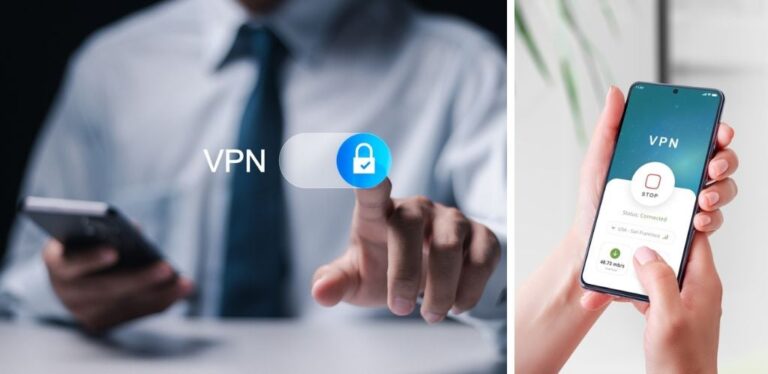
Now that you know what a VPN is, why you should use one, and which devices support it, it’s time to explain how to connect. Although it may sound complex at first, the process is surprisingly simple. Whether you use an app or prefer manual configuration, you’ll browse securely within minutes. Let’s go through it step by step.
Step 1: Choose the right VPN service
Before starting, you need a VPN provider that suits your needs. Looking for privacy? Access to restricted content? Both? One of the most complete options available is ProtonVPN, which we recommend. It offers over 15,000 servers in more than 120 countries. Once chosen, download the app from the official website or your device’s app store.
Step 2: Install the app or configure manually
- If you use an app:
- Download and install the application.
- Open it and log in using your credentials.
- If you prefer manual configuration:
- Go to your device’s network settings, such as “Network & Internet” on Windows or “System Preferences” on macOS.
- Select the option to add a new VPN connection. Enter server address, protocol type, and credentials.
Step 3: Select a server
Once the VPN is ready, choose the server you want to connect to. To access foreign content, select that country. For speed, choose a server near your location.
Step 4: Connect
Click “Connect”. Within seconds, your connection becomes protected. Some services even recommend the fastest or safest server automatically.
Step 5: Verify the connection
Open your browser and visit a site that shows your IP address. For exmaple: whatismyipaddress.com. If configured correctly, it should display the VPN server’s IP.
Step 6: Keep the connection active
While browsing, make sure the VPN stays active. Many apps include a kill switch that blocks traffic if the VPN disconnects unexpectedly.
It sounds easier than expected, doesn’t it? By following these steps, you can browse, work, or enjoy online content safely. Ideally, install your VPN on every device you use frequently.
Companies that offer VPN services
Let’s move to the final step: Where to get your VPN. As internet usage expanded, online tools and services multiplied too. This growth created a wide range of VPN providers. Each offering different features, prices, and functionalities. Let’s go through the most important ones.
- ProtonVPN: Developed by the creators of ProtonMail, this VPN prioritises transparency and privacy. It offers free and paid plans, over 15,000 streaming-optimised servers, and a Secure Core feature that routes traffic through multiple servers for extra protection. It’s also among the fastest, reaching up to 400% speed increases with WireGuard.
- ExpressVPN: It operates over 3,000 servers in 105 countries. Its proprietary Lightway protocol ensures fast and secure connections. It’s ideal for unblocking geo-restricted content and protecting public Wi-Fi activity. It also provides a very intuitive interface and 24/7 support.
- NordVPN: Its Double VPN feature encrypts traffic twice, adding an extra privacy layer. It also includes malware protection and an ad blocker. Its P2P-optimised servers make it ideal for file sharing.
- Surfshark: This provider allows unlimited simultaneous connections, making it perfect for multi-device users. It also has advanced features like ‘Camouflage Mode’, which hides your activity even from your internet provider. There’s also MultiHop, which boosts privacy by routing your connection through multiple servers.
- CyberGhost: With over 7,000 servers in 100 countries, CyberGhost stands out for ease of use. Its intuitive interface and streaming-optimised servers make it ideal for beginners. It also offers a 45-day money-back guarantee.
- Antivirus with integrated VPN: Many antivirus providers, such as Avast, Norton, or Bitdefender, include VPNs in their security packages. For example, Norton 360 includes a basic VPN, while Avast SecureLine works as an add-on. These options suit users who want all security tools in one service.
- Cloud services with VPN: Platforms like Mega include VPN access in premium plans. Besides file security, they also provide protected browsing while managing cloud storage.
Frequently asked questions about VPNs
A VPN (Virtual Private Network) protects your internet connection by encrypting your data and hiding your IP address. It works by creating a secure ‘tunnel’ between your device and a remote server, which ensures privacy and access without geographical restrictions. It’s especially useful for safe browsing on public Wi-Fi networks and for accessing content blocked in your region.
Although both can help hide your location, they don’t work the same way. A proxy acts as an intermediary between your device and the internet, hiding your IP but not encrypting your connection. A VPN, however, encrypts all data you send and receive, so it provides a much higher level of security.
A VPN on mobile works like it does on any other device, but it’s optimised to protect your connection while you move between Wi-Fi and mobile data. To install it, download your provider’s app from Google Play or the App Store. Once installed, you only need to sign in and connect to your chosen server.
On an iPhone, a VPN protects your browsing just as it does on a computer. You can set it up manually from “Settings” > “General” > “VPN”, or you can use an app from popular providers like ProtonVPN. Simply follow the provider’s instructions and activate the connection.
Some antivirus packages include a VPN as part of their security bundle. For example, Avast and Norton offer combined solutions that include malware protection and safer browsing. However, these VPNs often stay basic and may not offer as many servers or advanced features as specialist providers.
Yes, if your internet provider slows your speeds (throttling) during streaming or downloads, a VPN can hide your activity and help you use your full connection speed. You only need to install the app on your computer, set it up, and connect to your preferred server.
VPN pricing varies by provider and plan. Free options exist, although they often limit speed or data. Paid plans range from €3 to €15 per month ($3.30 to $16.50) and offer more servers, higher speeds, and stronger security.