Language

How many times can I reinstall my eSIM?
Holafly data plans are single-use and designed for one specific trip, but you can reinstall your eSIM up to 4 times in total on the exact same phone. This means that if you accidentally delete it while traveling, you still have 3 additional opportunities to download it again without having to buy a new one. Just keep in mind that your eSIM stays linked to your phone, so it cannot be transferred to a different phone. If your eSIM disappeared by mistake, just follow our quick walkthrough below to get back online in minutes.
How to reinstall your eSIM?
You can easily reinstall your eSIM directly through the Holafly app or by using the original QR code or manual activation codes found in your initial confirmation email. We highly recommend using the app or manual activation codes for the quickest and most reliable setup.
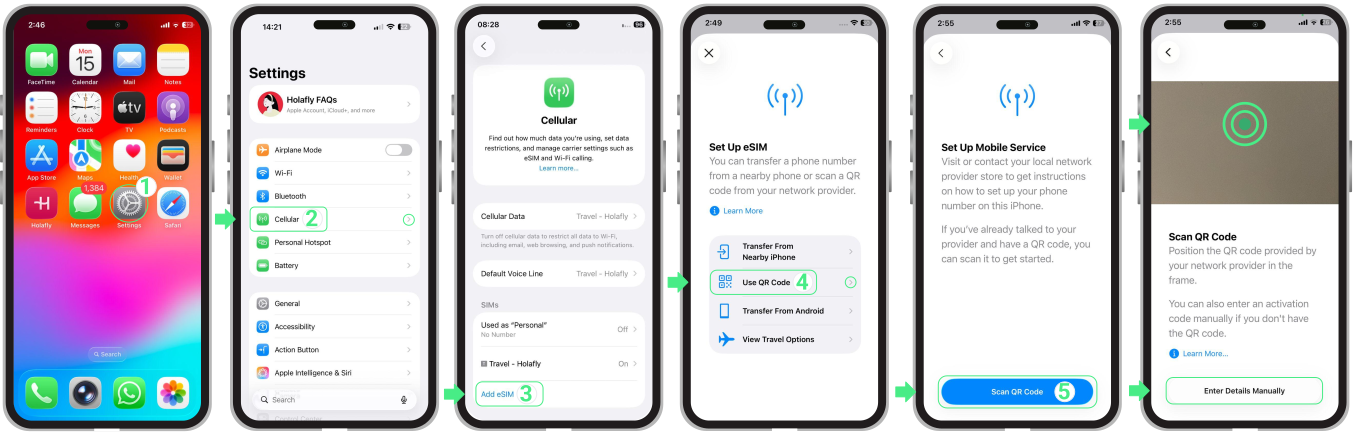
On iPhone:
Go to Settings → Tap Cellular or Mobile Data → Tap Add eSIM → Select Use QR Code → Tap Scan QR Code (from here, you can either scan the QR code or choose Enter Details Manually) → Tap Next → Continue with the Activation.
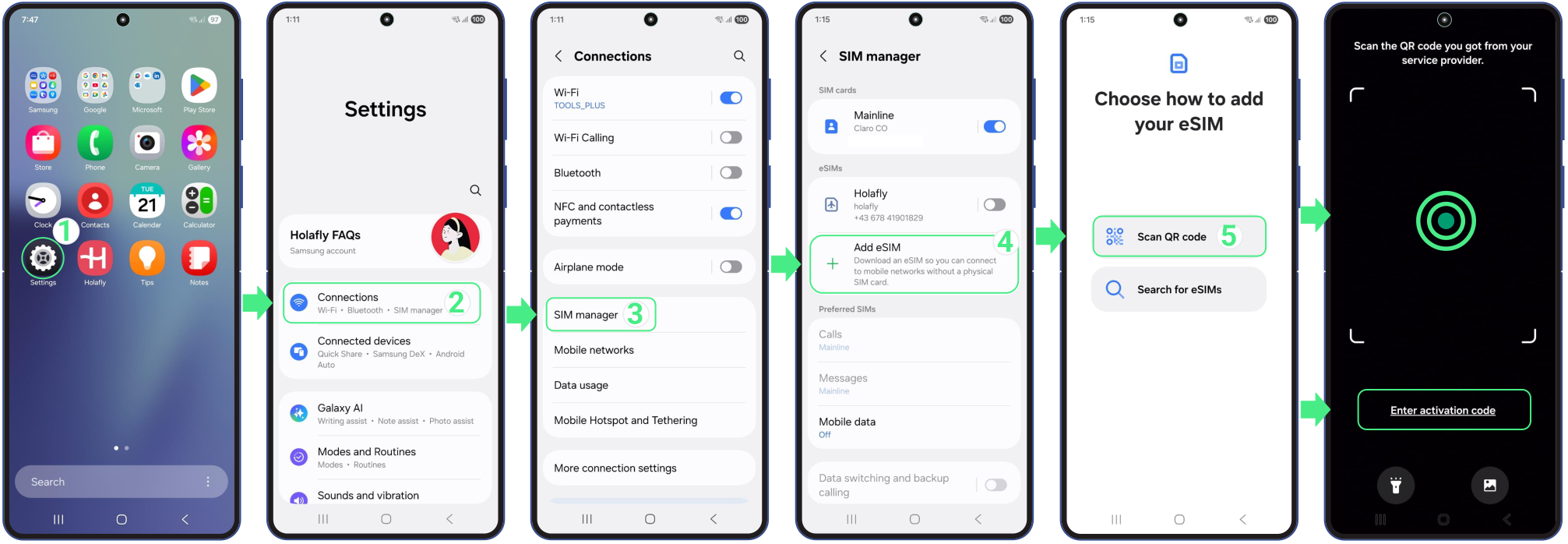
On Android:
- Go to Settings → Select Connections → Then, tap SIM Manager → Add eSIM → Tap Scan QR Code (from here, you can either scan the QR code or choose Enter activation code) → Tap Add → Continue with activation.
To keep in mind
- Your eSIM remains permanently tied to the first phone used. It cannot be moved to another phone.
- Before starting the reinstallation, make sure you are connected to a strong Wi-Fi network to prevent any installation errors.
- To download your eSIM again, you can easily pull up your original QR code or manual activation codes from your initial email.
- If your phone has trouble scanning the QR code from your screen, try the manual activation codes.