Language

How to Delete an eSIM?
If you’re wondering how to delete an eSIM, you can do it directly from your phone settings in just a few steps. This removes the mobile plan from your device, so make sure you no longer need it before deleting. Below, you’ll find the exact steps for iPhone and Android.
How to delete an eSIM from iPhone?
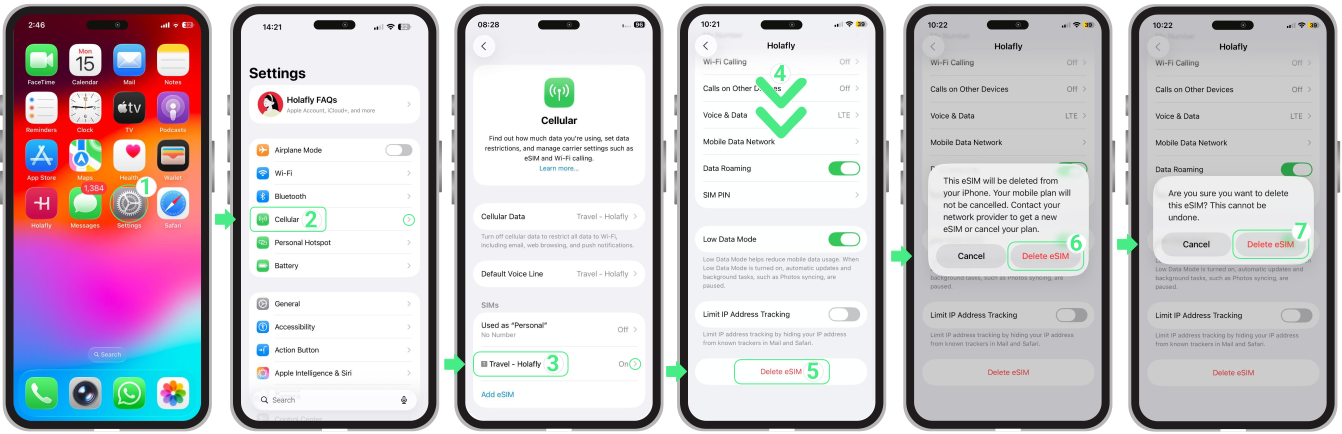
To delete the eSIM from iPhone, follow these steps:
- Go to Settings → Tap Cellular or Mobile Service → Select the eSIM you want to delete → Scroll to the bottom and tap Delete eSIM → Confirm twice when prompted.
How to remove an eSIM on Android?
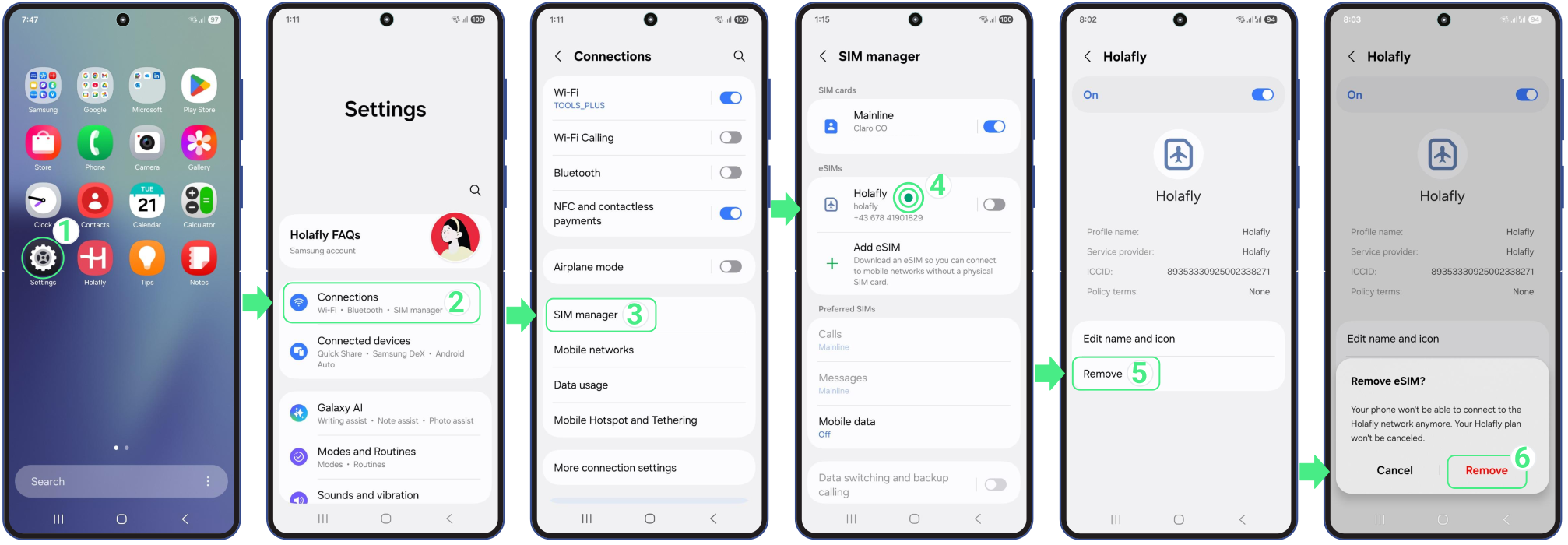
To remove the eSIM from your Android device, follow these steps:
- Go to Settings → Tap Connections → Select SIM Manager → Tap on the eSIM you want to remove → Tap on Remove → Confirm by tapping Remove again.
Troubleshooting tips
Even after you delete an eSIM from your iPhone, it may still appear in your eSIM list. Here is what to do:
- Go to Settings → Tap Cellular → Make sure your personal line is turned ON → Tap the deleted eSIM entry → Tap Update Contacts → This will refresh the contact information linked to your lines and fully remove the leftover eSIM from the list.
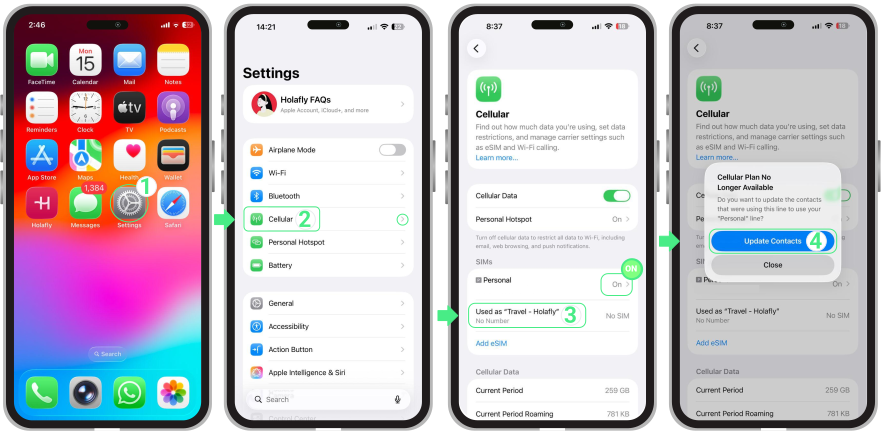
If the Update Contacts option does not appear:
- Turn on another SIM or eSIM line on your phone (a backup line) and try again.
- Tap the entry again and select Update Contacts.