Language
You can survive abroad without mobile internet. Here’s how, and where it falls apart
Learn how to prepare your phone for offline use, navigate without data, and handle travel situations where mobile internet is essential.

It’s a scenario almost every traveler encounters at least once: you’re standing in an unfamiliar city, your phone is showing no bars, and you have no idea which way the hotel is.
I know firsthand just how scary this can feel. But I also know that with some smart preparation beforehand, it is possible to continue using your phone (albeit in a limited way) to get yourself out of the sticky situation.
By following the steps below, you’ll be able to continue using key travel apps like maps and Google Translate, even without signal or data.
You’ll also learn what a mobile connection is non-negotiable for, and the easiest way to get data when you find yourself in a travel emergency.
First, prep your phone before you ever lose signal
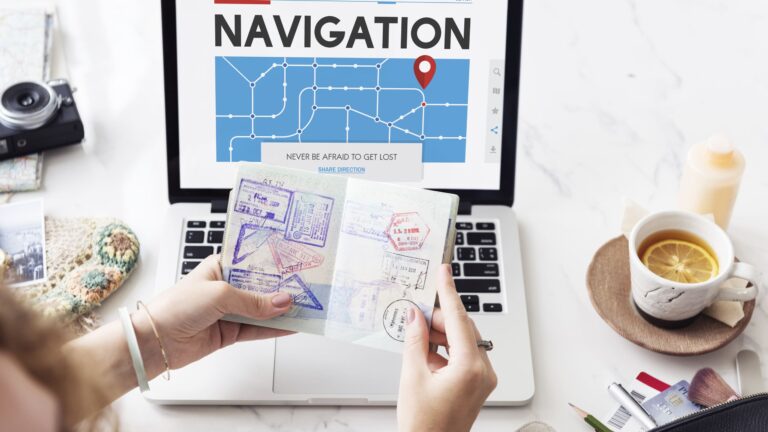
This is the step that will determine whether your phone is usable without a signal.
Google Maps requires a mobile connection to work. However, you can download offline map areas in advance that remain usable when your signal goes.
Before any trip, download an offline map covering the distance from the airport or train station (where you will arrive) to your accommodation. Save both points as pins so you can see the route from A to B.
When doing this, consider how much data Google Maps uses. Downloading an offline map typically requires 85 to 190MB (the bigger the map, the more mobile data it will use). This is fine if you have an unlimited data plan, but if you have a limited allowance, check your remaining data usage before doing it.
In addition, screenshot the accommodation’s address and directions, as this will come in useful should you need to get a taxi or ask a local for help.
I also recommend screenshotting your accommodation confirmation details and any check-in instructions if using Airbnb. And don’t worry, screenshots use up very little storage space.
The offline navigation methods that actually work on the ground
One of the biggest travel myths is that GPS stops working without a mobile signal. But it doesn’t.
Your phone’s GPS receiver can still pinpoint your location by using satellite signals, even when you’re offline.
As long as you’ve downloaded the map beforehand, you can usually see exactly where you are, follow roads, and navigate to your pinned locations without data, signal, or in airplane mode.
In addition to offline maps, there are several ‘old-school’ navigation methods that, as modern travelers, we tend to forget about:
- Carry a paper map: Yes, they still sell them. Purchasing a simple city map of your destination can prove an invaluable travel tool if you lose connection or your phone battery dies.
- Use landmarks instead of street names: Before smartphones existed, travelers would note a few obvious landmarks near their accommodation (such as a church, train station, or a public square) to help them find their way back.
- Ask locals for directions: Most people are happy to help lost travelers. If there is a language barrier, show them the accommodation address or point to it on an offline map instead of trying to pronounce the name.
Another super helpful but little-known hack for navigating a country that speaks a different language from your own is to download an offline translation pack.
Many translation apps like Google Translate have the option to download a language in advance. This means you can translate sentences to ask a local for help, read road signs, and understand transport information when you don’t have an internet connection.
The apps worth setting up before you go
Here are the best travel apps for offline use. However, most of these apps require you to download the maps, region, or language pack while you still have data, so set them up before you leave home, not once you arrive at your destination.
| App | Best for | Works offline? |
|---|---|---|
| Google Maps | Walking and driving directions | Yes, if area downloaded first |
| Organic Maps | Fully offline maps, hiking | Yes, always |
| Citymapper | City metro and bus routes | Yes, in supported cities |
| Google Translate | Reading signs, menus, phrases | Yes, if language pack downloaded |
| Currency Converter – Offline | Quick price conversions | Partial, uses last synced rate |
Navigation
- Google Maps: By downloading your destination as an offline area in advance, you can access turn-by-turn walking and driving directions while offline, as the offline map works with GPS alone. However, this is limited to only the area you have downloaded.
- Organic Maps: This fully offline map app gives you accurate GPS navigation wherever you are. It is free to use, ad-free, and requires no map downloads beforehand. It was designed for hiking, cycling, biking, and driving in remote areas and tends to show small streets and walking trails that Google Maps misses.
- HERE WeGo: This is a solid offline map backup. It works similarly to Google Maps where you download maps of countries or regions before your trip. It also gives offline public transit routing in many cities.
Transit
- Citymapper: If you’re navigating the metro or bus and lose signal or data, Citymapper offline will still show your departure schedules and route maps. Covering 430 cities worldwide, it’s an excellent app for navigating unfamiliar public transport.
- Local metro apps: Many major cities have an official transit app with an offline map built in. Research the app for the city you’re visiting and download it before you land.
Translation app
- Google Translate: Choose the language of the country you’re visiting and download the offline language pack in advance. With this installed, you can use the text translation as normal and even the camera translation for reading signs and menus. However, the real-time conversation translation is only available online.
Currency
- Currency Converter – Offline: This currency conversion app has an offline mode that caches the last synced exchange rate. To ensure an accurate conversion offline, open and refresh the app on your hotel Wi-Fi before you head out.
Where offline navigation quietly falls apart
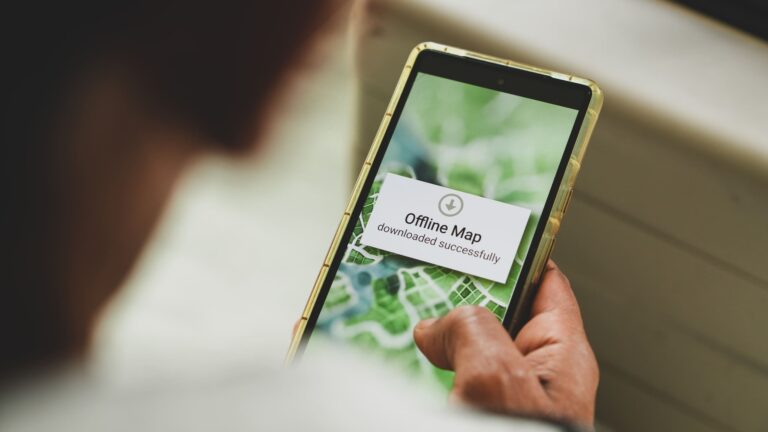
Offline navigation works pretty effectively as long as your trip goes exactly to plan. The problems begin when something unexpected happens.
Perhaps your flight is delayed and you miss your train, forcing you to book a new one.
Maybe your hotel sends updated check-in instructions while you’re in the air, but they’re sitting unread in your email.
Or maybe you arrive at your accommodation to find the reception closed and need to call your host for the key.
Not knowing how to handle these very real scenarios is a common travel mistake that can quickly turn your trip from serene to stressful. And that’s exactly why it’s important to have a plan and be ready to deal with any unexpected situation.
Public Wi-Fi is not always available, strong enough to load an email, or reliable enough to complete an online booking.
In addition, not being able to make a phone call presents a real safety issue. If you find yourself alone in an emergency, your offline map is not going to be much help.
Staying reachable is a key part of staying safe on the road. That’s why smart travelers always sort a travel eSIM before they travel, allowing them to stay connected when those unexpected moments happen.
Stay connected when the offline plan runs out
Offline tricks get you a long way, but the moment your plans shift, a delayed flight, a booking buried in your inbox, a host you suddenly need to reach, you want to just be online. A Holafly eSIM keeps you connected without hunting for Wi-Fi or swapping SIM cards. Every travel eSIM includes unlimited data, 5G speeds, and 24/7 customer support, so you can pull up a live map, rebook, or message someone the second you need to.
What’s more, every Holafly eSIM comes with Always On: 1 GB of monthly backup data at no additional cost, active automatically as long as the eSIM stays installed on your device. It renews every month and works across 150+ destinations, so even when your main data runs low, you keep a reliable connection for the moments that matter most: finding your way, checking a booking, or letting someone know you’re safe.
Prep your offline toolkit, absolutely. Just keep a Holafly eSIM installed too, so you stay connected even when the plan changes.

Unlimited data. Peace of mind.
Make sure you have travel data that's there when you need it most.
Plans that may interest you


Hi, I'm Mika, a South Korean writer living in the US. I cover travel and live events, focusing on the practical stuff that makes your trip smoother, whether you're navigating a new city or heading to a major international event.I'm also the founder of Search SEOul, South Korea's leading SEO conference, bringing together search marketing experts and speakers from around the world.