Language

What is Holafly Always On? Backup data at no cost
Holafly Always On gives you 1 GB of backup data every 30 days in 150 destinations. See how it works, what 1 GB covers and how to keep it active.

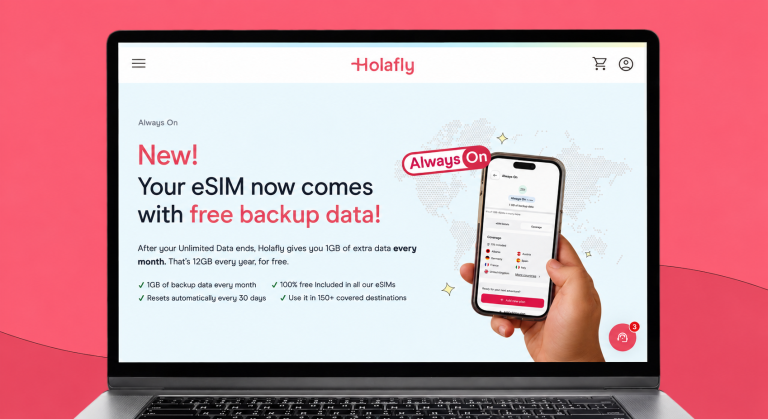
Holafly Always On gives Holafly Trips eSIMs and Holafly Plans, 1 GB of backup data every 30 days in 150+ destinations once your main plan is no longer active. The benefit continues as long as your eSIM stays installed.
This guide explains when Always On starts, what 1 GB of data realistically covers, where you can use it, and how to check your remaining backup data in the Holafly app, alongside its limits.
Disclaimer: The data in this article is accurate as of November 6, 2026, and is subject to change.

Holafly Always On quick overview
| Always On Feature | Details |
|---|---|
| Included with | Every Holafly eSIM: Holafly Trips eSIMs and Holafly Plans |
| Eligibility | Holafly Trips eSIMs purchased on or after February 16, 2026, and Holafly Plans purchased on or after November 4, 2025 |
| Data | 1 GB every 30 days |
| Starts with Holafly Plans | After you cancel and your current billing period ends |
| Starts with a Holafly Trips eSIMs | When the eSIM expires |
| Requirement | Keep the eSIM installed on your device |
| Coverage | 150+ destinations |
| Cost | No extra cost and no new subscription |
| Hotspot | Not available |
| Unused data | Doesn’t roll over to the next 30-day cycle |
How Holafly Always On works with eSIMs and Holafly Plans
Holafly Always On provides 1GB of backup connection after your main plan ends, rather than adding data to an active plan.
Always On with Holafly Plans
Always On is included with Holafly Plans subscriptions purchased on or after November 4, 2025.
If you cancel your subscription, your plan stays active until the end of your current billing period. Once that period ends, Always On switches on automatically and gives you 1 GB of backup data every 30 days, without renewing your subscription.
For example, if you cancel halfway through your billing period, Always On doesn’t start right away. You keep using your paid plan until the period ends, and then the backup data takes over. Just make sure to keep the eSIM installed on your device.
Always On with a Holafly Trips eSIMs
Always On is included with Holafly Trips eSIMs purchased on or after February 16, 2026.
Once your eSIM expires, Always On switches on automatically and gives you a backup data allowance that renews every 30 days. It’s there for the essentials, like sending messages, checking directions or pulling up a booking confirmation.
To keep Always On, leave the eSIM installed on the device where you first installed it. Deleting it removes Always On permanently, and access is also removed if the order is refunded. Always On never replaces your original plan’s data or days. It only starts once they’re over.
How much can you do with 1 GB of Always On data?
1 gigabyte can cover essential travel tasks, particularly text messages and quick checks. How long 1 GB lasts depends on the apps you use, downloaded images, attachments, and background activity.
| Activity | Approximate data use |
|---|---|
| Maps | 5–10 MB per hour of Google Maps navigation |
| Messages | 1–2 KB per WhatsApp text message, excluding media |
| Around 20 KB per email without attachments | |
| Booking a ride | Around 2 MB per minute of ride-app use |
| Checking a booking | Around 2 MB per minute of booking-site browsing |
| Opening the Holafly app | Around 1–5 MB per check |
Note: These figures are approximate. Photos, attachments, and background downloads can increase consumption.
Follow the tips below to make your backup data last:
- Download offline maps: Save your destination’s map over WiFi before heading out. Live traffic still requires connectivity.
- Enable Low Data Mode: On iPhone, this restricts background network activity and automatic downloads.
- Turn off Background App Refresh: Limit updates from apps you aren’t using. On iPhone, Low Data Mode already disables this feature.
When to use Holafly Always On?
Holafly Always On is useful when your paid service has ended and you need data for essential travel tasks. Here are four situations where that backup connection can help.
- Your Holafly Trips eSIM expires before you get home. You bought a three-day eSIM for a weekend away, but it expires before you reach the airport. You can use Always On to check your gate or message the person picking you up.
- You’ve cancelled Holafly Plans and travel again months later. Your subscription’s billing period has long since ended, but you’ve kept the eSIM installed. Use your backup connection to check directions or contact your accommodation when you arrive in a supported destination.
- You land somewhere new and need your next plan. With your previous plan no longer active, you can use Always On to browse Holafly eSIMs and purchase data for the next part of your trip.
- You have a layover after your plan has ended. If your transit stop is among the 150+ supported destinations, use your backup data to check flight updates, send messages, or confirm onward transport.
Where Holafly Always On works: 150 destinations
Holafly Always On covers 150+ destinations across Europe, Asia, the Americas, Africa, and Oceania, including selected territories and island destinations.
Before traveling, check that your destination and any layover stops are included. Open the Holafly app and go to Purchases > Always On > Coverage to see the supported destinations.
Your original plan’s coverage may differ from Always On coverage, so check both separately when planning your trip.
For the full destination list, visit the Always On help page.
How to keep Holafly Always On active
Follow this checklist to keep your backup connection available for your next trip:
- Keep the eSIM installed: Turn the line off in your phone’s settings when you aren’t using it, instead of deleting it. Turn it back on and enable data roaming when needed.
- Keep it on the same phone: Always On stays with the original device where the eSIM was first installed and can’t be transferred.
- Give the eSIM a clear name: Label it “Holafly” or “Travel backup” to avoid confusing it with your personal SIM.
- Track your usage: Open the Holafly app and tap Purchases to check your Always On status and data usage.
When you need your backup connection, turn the Holafly line back on, select it for mobile data, and enable data roaming. Keeping the eSIM installed preserves access, but the line needs to be enabled to connect.
For connection issues, follow the troubleshooting steps on the Always On help page.
Get a Holafly eSIM with Always On included
A week in Japan, a stopover in Singapore, then a month in Thailand: traveling across borders can mean arranging data at every stop. Holafly Plans gives you one eSIM you can use across 160+ destinations, with three plans to choose from:
- Light Plan: 25 GB a month with hotspot.
- Unlimited Plan: unlimited data and hotspot, plus a US, Canadian or UK number for receiving SMS.
- Ultra Plan: everything in Unlimited, plus doctor chat, mental wellbeing support, flight claim and luggage protection.
All subscriptions include 24/7 support, and you can cancel anytime. For a trip with fixed dates, choose a Holafly Trips eSIM instead.
Whichever option you choose, Holafly Always On gives your eSIM a use beyond your paid plan: backup connectivity for your next arrival, layover, or change of plans. Just keep it installed on its original phone.

Holafly Always On FAQs
Do I get 1 GB of Always On on top of my Holafly plan?
No. Always On is never added on top of an active plan. It’s backup data that only starts once your service ends. For example, the Light Plan includes 25 GB a month, not 25 GB plus 1 GB.
- With Holafly Plans, Always On starts after you cancel your subscription and your current billing period ends.
- With a Holafly Trips eSIM, Always On starts once your eSIM expires.
From then on, you get 1 GB of backup data every 30 days, as long as the eSIM stays installed on your device.
Can I still get Always On data if I delete my Holafly eSIM?
No. Deleting your eSIM permanently removes Always On. Always On starts when you cancel Holafly Plans subscription or when your Trips eSIM expires. From then on, you receive 1 GB of backup data every 30 days for as long as the eSIM stays installed. If you’re not using it, turn the line off in your phone settings instead of deleting it.
Can I move Always On to a new phone?
No. Always On is tied to the device where you first installed your Holalfy eSIM. Keeping the same Holafly account on your new phone doesn’t transfer the benefit, so leave the eSIM installed on its original device.
What happens to Always On if my order is refunded?
If your order is refunded, you lose access to Always On, even if the eSIM is still installed on your phone. The benefit is linked to the original purchase, so keeping the eSIM or leaving the line switched on won’t keep it active.
Plans that may interest you

Hi! I'm a Spanish-English copywriter working with Holafly, helping bring travel content to life for curious travelers. As a digital nomad with a passion for exploring, I'm always adding new spots to my bucket list. If you love to travel like me, stick around because you're in the right place to find inspiration for your next trip! ✈️🌍