







 Language
7 travel apps you should have on your phone before you land
From maps to messaging, these 7 travel apps solve real travel problems and should be on your phone before you leave for the airport.

We’ve all experienced it: that familiar unease on the way to the airport, worrying that you’ve forgotten something crucial.
Passport, wallet, charger. You double-check, then check again before you head out the door.
But one area of trip preparation many travelers overlook is their phone setup.
In 2026, having the right travel apps on your phone is just as crucial (if not even more so) than remembering your toothbrush. But which travel apps do you actually need?
In this article, we’re sharing 7 essential travel apps that solve real travel problems, and why forgetting to download them can cause some serious stress.
Why your phone setup matters as much as your luggage
In this tech-driven era, your phone is now your map, translator, bank, boarding pass, and emergency contact all in one. When traveling, you constantly rely on it, whether that’s to communicate with locals, call a ride, or find the nearest restaurant.
However, our phones are only excellent travel buddies if we can access what we need when we need it. Many travel apps need to be downloaded and set up before departure, not in the airport or on arrival. They require account creation, offline downloads, or configuration on a home network, which is why it’s crucial to get your phone ready before you leave.
7 travel apps worth downloading before your next trip
You don’t need to go overboard and download every travel app that exists. With the following apps downloaded and set up on your phone, you’ll have all your bases covered:
| App | What it solves |
|---|---|
| Google Maps (offline) | Navigation without data |
| Google Translate | Real-time language help |
| XE Currency | Exchange rates on the go |
| TripIt | Itinerary and flight tracking |
| Rome2Rio | Multi-modal transport planning |
| International messaging for free | |
| Holafly | Unlimited data anywhere |
- Google Maps (offline): Google Maps is probably the most-used travel app. On road trips, it serves as your trusty satnav, and for public transport, it gives you the times of the next trains and buses. It’s also handy for checking traffic conditions and real-time journey times before going to the airport.
- Google Translate: Whether you need to translate a menu, give your taxi driver directions in the local language, or understand what the immigration officer is trying to tell you, this app is your lifesaver. With multiple functions, you can translate through typing, voice recording, and image.
- XE Currency: When you’re shopping in the markets, avoid paying over the odds by quickly converting prices. Or, when exchanging money, verify realtime currency rates against the rates the booth is offering to ensure you get a fair deal.
- TripIt: The handy travel planning app turns your booking confirmations into a detailed trip itinerary. The app then updates you on your upcoming flight status, sends alerts for gate changes, and lets you access your boarding pass offline.
- Rome2Rio: Find the quickest, cheapest, and easiest ways to get between A and B anywhere in the world. Check bus timetables and train schedules, find local taxi companies, or get gas usage estimates for road trips.
- WhatsApp: The ultimate messaging app, allowing you to message or call anyone in the world for free, as long as you have WiFi or a mobile connection. Since most businesses now have WhatsApp accounts, you can call hotels, tour operators, or restaurants while traveling, bypassing international roaming fees.
- Holafly: Get a reliable mobile connection with unlimited data wherever you are in the world. By installing an eSIM before your trip, you can enjoy uninterrupted mobile usage at a low cost, set price, rather than incur unexpected roaming fees.
The travel apps people always forget until it’s too late
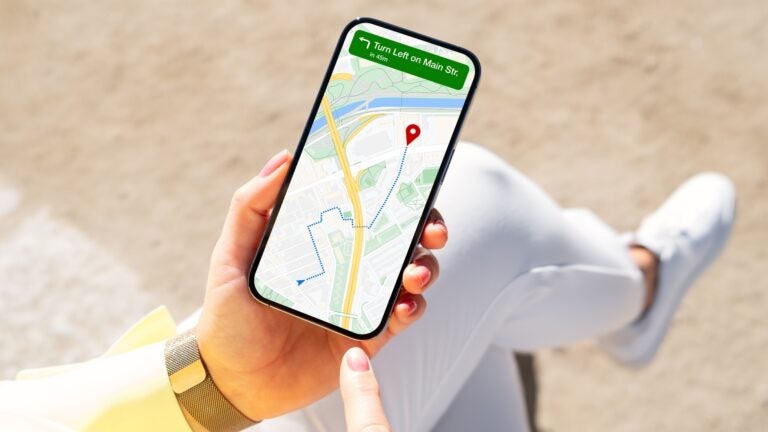
Two apps on this list work even without a phone signal, but only if you set them up properly beforehand: Google Maps and Google Translate.
Before you leave, select and download the offline map for your destination through the Google Maps app settings. You can choose the size of the map you want to download, though the bigger the map, the more storage space it will take up. You can also download multiple maps, which is key if you’re visiting multiple places.
However, you can only use Google Maps offline if you download the map you want beforehand. Many travelers forget to do this, and then when they lose signal while on the road, they lose their whereabouts, too.
Similarly, to use Google Translate offline, you must download the language of your destination before your trip. Otherwise, you might go to tell your taxi driver your destination, only for the app to fail on you and leave you in a sticky situation. Because Google Translate also works in airplane mode, if you set it up for offline use, you could even use it to practice your language skills with your neighbor on the plane.
Another thing many travelers forget to set up before their trip is an eSIM. While purchasing an eSIM through an app like Holafly is simple, you still have to enter your details, then install it before use. It can take several minutes, which is why it’s much better to do it before you leave.
Otherwise, you’ll arrive at your destination without data, and then you’ll have to rely on the patchy airport WiFi while you install your eSIM. And let’s be honest, airports are stressful enough without adding an extra thing to do before you can leave departures.
Do you actually need an eSIM app when traveling?
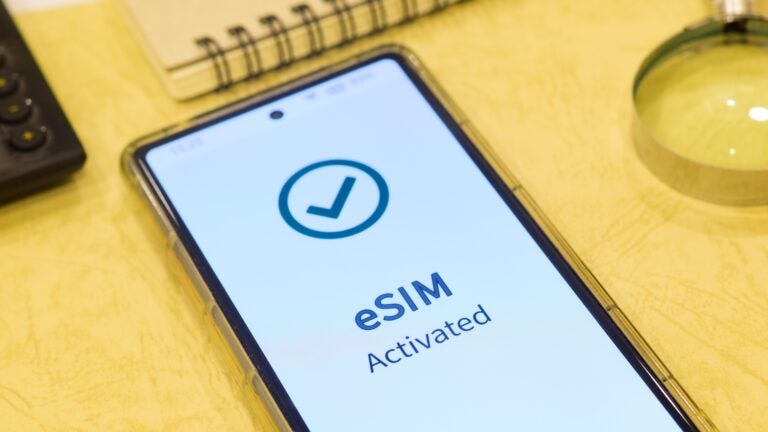
In the past, getting a local SIM card was something travelers had to do upon arrival. This often involves long queues, inflated prices, and spending an extra 30 minutes at the airport.
A eSIM removes all this stress and effort, while saving you money. Rather than hunting for a SIM card desk when you’re groggy from a long flight, you can set up an eSIM before departure. When you’ve done this, you land, turn off airplane mode, enable “data roaming” on your Holafly eSIM line, and you’re online.
Then, through the Holafly App, you can:
- Monitor your usage
- Extend your plan, should you decide to stay longer
- Access 24/7 chat support
Your pre-boarding phone setup checklist
Here’s a quick international travel checklist to go through the night before your flight. It takes less than 30 minutes and will ensure your phone is as ready as your luggage.
- Download all 7 apps from the list above
- Set up offline maps for your destination on Google Maps
- Download the local language of your destination on Google Translate
- Upload your flight, hotel, and transport bookings to TripIt
- Save important numbers to WhatsApp (hotel, airport taxi, tour guide, etc)
- Install your eSIM via the QR code
Where preparation meets peace of mind
With your apps downloaded and your eSIM set up, you’re not just packed, you’re prepared.
A Holafly eSIM ensures everything works exactly when you need it, so you can step off the plane and begin your trip as you mean to go on, with total ease and zero stress.
Find your destination in the Holafly eSIM store here.

Unlimited data. Peace of mind.
Make sure you have travel data that's there when you need it most.
Plans that may interest you


Hi, I'm Mika, a South Korean writer living in the US. I cover travel and live events, focusing on the practical stuff that makes your trip smoother, whether you're navigating a new city or heading to a major international event.I'm also the founder of Search SEOul, South Korea's leading SEO conference, bringing together search marketing experts and speakers from around the world.

