Language
Best VPN for the Philippines: Compare the best options
Compare the best VPNs for the Philippines and work remotely more securely while traveling. Keep reading to know more!

If you’re planning a trip to the Philippines or working remotely while you’re there, choosing the right VPN can make a big difference. Although cities such as Manila and Cebu generally have good internet access, public Wi-Fi networks in airports, cafés, hotels, and coworking spaces aren’t always secure.
In this guide, we’ll look at why it’s a good idea to use a VPN in the Philippines. Beyond improving your online privacy and encrypting your data, it can also help you securely access work platforms, online banking, corporate tools, and streaming services without restrictions.
Before using a VPN in the Philippines
Before getting a VPN in the Philippines, the first thing you need is a stable internet connection, since a VPN won’t work without it.
For example, if you’re only staying a few days, we recommend Holafly’s Philippines eSIM with unlimited data for just the days you need, starting at $3.90. For longer stays of over a month, Holafly’s monthly plans are a better choice, offering 25 GB or unlimited data and allowing you to connect multiple devices at the same time. You can also travel to over 160 destinations without changing your eSIM or plan, which is great if you plan to visit other places in Asia.

Why use a VPN in the Philippines?
Many digital nomads and remote workers use a VPN to add an extra layer of security and privacy while working online. It can make a real difference to your daily workflow, especially if you regularly rely on public Wi-Fi networks. Here are the five main benefits:
- Security on public networks: In the Philippines, people often use Wi-Fi in cafés, hotels, or coworking spaces, which can be risky for sensitive or work data. A VPN helps keep your passwords, bank info, and emails safe.
- Access to work platforms and services: Some services might be limited based on your location. A VPN can help you access these services as if you were connecting from your home country.
- Seamless remote work: If you work with international clients, it can also provide a more stable connection when accessing international servers, cloud platforms, or collaboration tools.
- Digital privacy: A VPN hides your real IP address and reduces tracking of your online activity, which is important for remote work.
- Greater flexibility while traveling: It makes remote work easier and more flexible, with better security. You can connect through servers in different countries and access the internet with greater flexibility while traveling.

Comparison table of the best VPNs for the Philippines
To help you choose the right VPN for the Philippines, we’ve created a comparison table of five popular options. You can easily compare their servers, speed, security features, device limits, and pricing.
| VPN | Location Change | Servers | Simultaneous Connections | Speed | Supported Protocols | Price |
| ProtonVPN | 145 countries | +20,000 | 10 | High | OpenVPN, WireGuard, IKEv2 | Starting at $3.47/month |
| Turbo VPN | +45 countries | +22,000 | 20 | Average | WireGuard, OpenVPN | Starting at $3.44/month |
| Hideme VPN | +91 countries | +2,600 | 10 | High | WireGuard, OpenVPN | Starting at $2.89/month |
| Windscribe | +69 countries | Not available | Unlimited | High | WireGuard, OpenVPN, IKEv2 | Starting at $5.75/month |
| VeePN | 85 countries | +2,600 | 10 | High | WireGuard, OpenVPN, IKEv2 | Starting at $2.31/month |
Here are the 3 best VPNs to use in the Philippines
To help you choose, we’ve narrowed the list down to three VPNs that stand out. We chose VPNs with reliable servers, strong security, and good performance for remote work.
1. Proton VPN
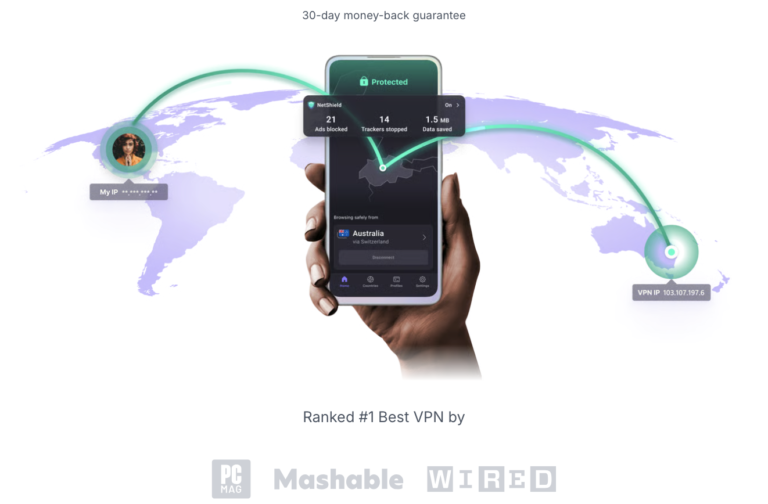
For digital nomads who prioritize privacy and security, Proton VPN is one of the strongest options available. It was created by the team behind Proton Mail and is based in Switzerland, a country known for its strict data privacy laws.
It also offers a huge network of over 20,000 servers worldwide, including servers in Manila for fast connections. Security is strong, with AES-256 and ChaCha20 encryption, and it uses the WireGuard protocol for high speeds. You can connect up to 10 devices at once, try the free version, or get a monthly plan starting from:
- Plus: $3.47 with 10 connections and 15,000 servers.
- Unlimited: Starting at $9.27 with 10 connections, 15,000 servers, and premium features such as 500 GB.
| Advantages | Disadvantages |
| Unlimited free version with no credit card required | Some features are only available on paid plans |
| Ad blocker (NetShield) | Interface somewhat less intuitive for beginners |
| VPN Accelerator improves performance over long distances | Price slightly higher than budget VPNs |
2. Turbo VPN
Our second VPN pick for the Philippines is Turbo VPN. Its server network includes locations around the world, with servers in Manila, Cebu, and Davao that can help users access local online services and content while traveling.
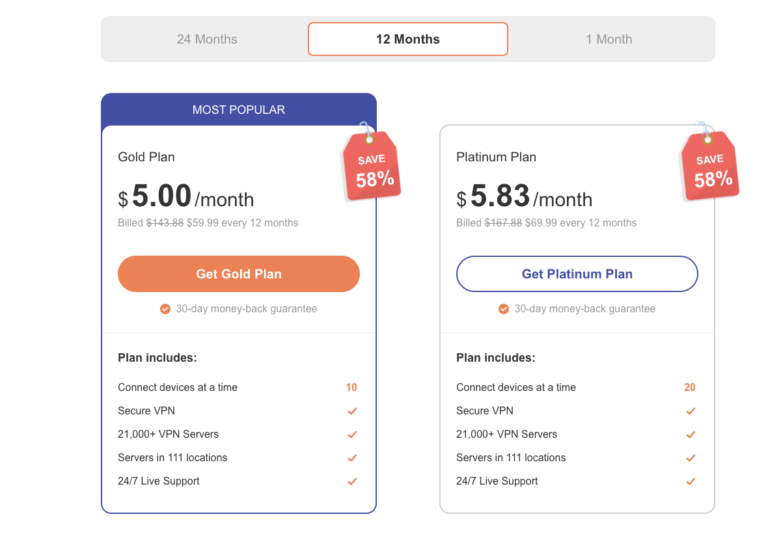
Founded in Singapore in 2018, Turbo VPN is designed with security in mind. It uses AES-256 encryption, a kill switch, and private DNS to help keep your connection safe. It’s easy to use and offers three subscription plans:
- Monthly: Starting at $13.92 per month.
- Annual: Starting at $5.80 per month.
- Biennial: Starting at $3.44 per month.
| Advantages | Disadvantages |
| Free version available | Less stringent security and data policies |
| Compatible with mobile devices and browsers | May display ads in the free version |
| Very easy to use | Limited customer support |
3. Hide.me VPN
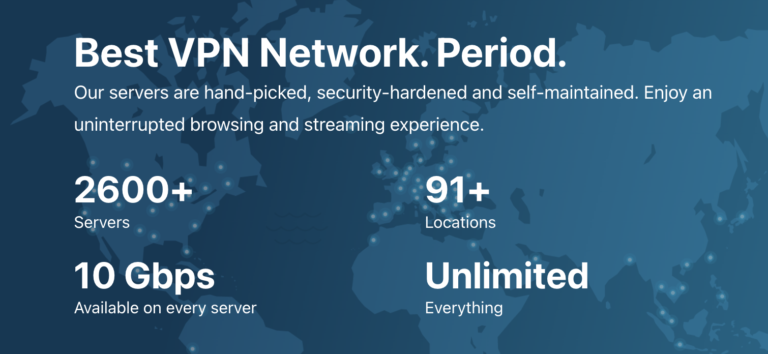
Hide.me VPN is our third pick for the Philippines. It has over 2,600 servers in 91 countries, including some in Manila. Based in Malaysia, it isn’t affected by data retention laws and uses strong AES-256 encryption with RSA-8192 keys.
It works on most devices, including Windows, macOS, Linux, Android, iOS, routers, and consoles. It also has features like split tunneling, a kill switch, and IPv6 support. You can try it for free with unlimited data and no credit card, or upgrade starting from:
- Monthly: Starting at $13.92 per month.
- Annual: Starting at $5.80 per month.
- Biennial: Starting at $3.44 per month.
| Advantages | Disadvantages |
| Free plan with 10 GB | Limited free version |
| Personalized service as a small company | Kill switch isn’t always automatic on all platforms |
| Optimized streaming servers | Fewer servers than ProtonVPN |
The best VPN for digital nomads and remote workers in the Philippines
After comparing the three VPNs above, Proton VPN stands out as the best option for digital nomads, remote workers, and travelers visiting the Philippines. Privacy is one of Proton VPN’s biggest strengths, backed by independent security audits and modern encryption standards. It also has 12 servers in Manila and over 18,000 worldwide. Here are a few of the features that set it apart:
- Performance: Very stable over long distances thanks to VPN Accelerator, with significant speed improvements on international connections.
- Compatibility: Windows, macOS, Linux, Android, iOS, Android TV, and browser extensions.
- Security: Open-source apps and regular independent external audits.
- Design: Simple interface with a quick-connect button and an easy-to-use server map.
- Privacy: Strict no-logs policy, verified through external audits.
- Recognition: Ranked among the most secure VPNs on the market in cybersecurity rankings.
Frequently asked questions about the best VPNs for the Philippines
Yes, using a VPN is legal in the Philippines. It’s mainly used to improve security, protect personal data, and safely access work networks and online services without restrictions.
Proton VPN is considered the best option due to its privacy features, high security, reliability, and servers located in Manila.
It’s highly recommended, since public Wi-Fi networks are less secure if you’re working with sensitive personal or corporate information.
You may see a small drop in speed, but with a good VPN like Proton VPN, it’s barely noticeable thanks to WireGuard and optimized servers.
Yes, most VPNs allow simultaneous or unlimited connections with a single account, so you can use different devices at the same time.
Plans that may interest you


Hi! I'm a Spanish-English copywriter working with Holafly, helping bring travel content to life for curious travelers. As a digital nomad with a passion for exploring, I'm always adding new spots to my bucket list. If you love to travel like me, stick around because you're in the right place to find inspiration for your next trip! ✈️🌍