Language
Tangerine eSIM guide: Plans and activation
All about Tangerine eSIM, how to get an eSIM as a new customer or swap from a physical SIM card. Tangerine eSIM plans and prices, and activation steps.
Tangerine Telecom, which operates on the Telstra wholesale network, is an Australian provider that offers eSIM support across its mobile plans.
This guide covers all you need to know about Tangerine mobile eSIM, including its plans, prices, covered destinations, setup process, and how to transfer it to a new phone.
We will also introduce Holafly eSIM as an alternative to Tangerine, with unlimited data, 5G speeds where supported, and 24/7 customer support.

Connect to the fastest networks
International eSIMs, local networks. Enjoy the best of both worlds with Holafly.
Does Tangerine support eSIM?
Yes, Tangerine supports eSIM on eligible mobile plans. So, you can easily set up eSIM digitally, typically by scanning a QR code, without needing to insert or swap a physical SIM card. However, you should make sure you have an eSIM-compatible device.
Additionally, Tangerine eSIMs work overseas in any destination supported by Tangerine international roaming.
Tangerine eSIM plans explained
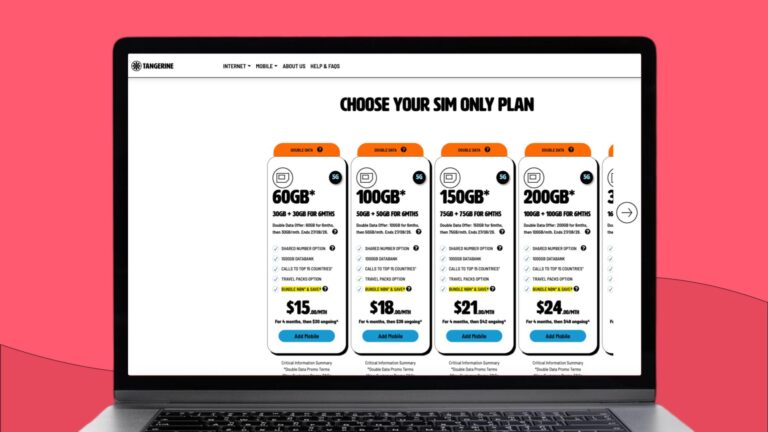
All of Tangerine’s standard postpaid SIM-only mobile plans and mobile broadband (data-only) plans are eligible for eSIM, including the following list:
| Plan name | Monthly price | Data allowance | International calls and SMS |
|---|---|---|---|
| 30GB plan | $30/month | 30GB | Unlimited standard calls and SMS to 15 selected countries. |
| 50GB plan | $36/month | 50GB | Unlimited standard calls and SMS to 15 selected countries. |
| 75GB plan | $42/month | 75GB | Unlimited standard calls and SMS to 15 selected countries. |
| 100GB plan | $48/month | 100GB | Unlimited standard calls and SMS to 15 selected countries. |
| 160GB Plan | $60/month | 160GB | Unlimited standard calls and SMS to 15 selected countries. |
Note: All the plans include unlimited standard calls and SMS to 15 selected countries. You can also add a Shared Number plan to any Tangerine 5G SIM-only plan for $10/month to make calls, send texts and use data on a compatible smartwatch with the same number.
Disclaimer: All data in this article is accurate as of October 14, 2026, and is subject to change. Please check the official Tangerine website for the most up-to-date details and terms.
Tangerine eSIM-compatible devices
Almost all modern smartphones, including flagship models released over the last several years, support eSIM technology. Here is the list:
- Apple iPhone:
- Supported: iPhone XS, XS Max, and XR (2018) up to the latest iPhone series, as well as iPhone SE (2nd generation onwards).
- Samsung Galaxy:
- Supported: Galaxy S20 series and newer, Note 20 series, all Galaxy Z Fold and Z Flip generations, and selected A-series models (e.g., A54, A55).
- Google Pixel:
- Supported: Google Pixel 3a and newer (Pixel 4, 5, 6, 7, 8, 9 series).
- Other Android brands:
- Selected modern models from Motorola, Oppo, Xiaomi, and Sony support eSIM depending on the specific model and region.
Since regional variations apply, it’s recommended to verify eSIM-compatibility in your device settings. Dial *#06# on your phone app. If an EID (Embedded Identity Document) number is displayed, your device supports eSIM technology.
To make sure your eSIM works properly on your device:
- Ensure your device is running the latest software version (iOS or Android).
- Always stay connected to Wi-Fi while scanning the QR code and completing setup.
Tangerine eSIM activation guide
Activating a Tangerine eSIM is a straightforward digital process that replaces the need for a physical SIM card.
Requirements
- An eligible Tangerine mobile plan.
- An eSIM-compatible device.
- A stable Wi-Fi connection.
- The QR code or activation details provided by Tangerine.
Activation steps
- Log in to the Tangerine Self Care Portal (or complete your new sign-up order) to confirm your service activation.
- You will receive a unique QR code (or activation details) via the portal or email.
- Connect your phone to Wi-Fi. Open your device settings (Settings > Mobile Data/Cellular > Add eSIM on iOS, or Settings > Connections > SIM Manager > Add eSIM on Android) and use your camera to scan the code.
- Follow the on-screen prompts to download the eSIM profile and complete the setup.
Where can I buy a Tangerine eSIM?
New customers can get a Tangerine eSIM directly from the Tangerine website. Existing customers can switch from a physical SIM to an eSIM through the Tangerine Self Care Portal.
New customers:
When ordering a new SIM-only mobile or mobile broadband plan on the Tangerine website, you can select your preferred SIM type during checkout:
- eSIM: Chosen during sign-up for immediate, digital delivery (no waiting for shipping).
- Physical SIM: Shipped directly to your address if you prefer a standard SIM card.
Existing customers:
If you are an existing customer and want to swap your physical SIM for an eSIM, you do not need to buy a new plan. You can switch for free directly online:
- Log in to the Tangerine Self Care Portal.
- Go to your mobile dashboard, click Manage, then select Change > Change SIM.
- Select eSIM as your new SIM type and enter your phone number.
- Complete the identity verification via a one-time security PIN.
- Follow the on-screen prompts to download and install your new eSIM profile on your device.
Note: Once the eSIM transfer is complete, your physical SIM card will be permanently deactivated.
How to transfer Tangerine eSIM to a new phone
To move your eSIM to a new phone, perform a SIM swap through the Tangerine Self Care Portal:
- Log in: Go to the portal and select your mobile service.
- Request Swap: Go to Manage > Change SIM, select eSIM, and complete the identity check via OTP.
- Install: Connect your new phone to Wi-Fi and scan the new QR code to download your profile.
Note: Once complete, your old eSIM is automatically deactivated.
Which Australian providers offer eSIM?
List of providers offering eSIM support in Australia:
- Telstra: Supports eSIM across all Upfront mobile, prepaid, data-only, and small business plans.
- Optus: Supports eSIM across all postpaid month-to-month, prepaid (Optus Flex Plus), and business mobile plans.
- Vodafone: Supports eSIM across all SIM-only postpaid, prepaid, and business mobile plans.
- ALDI Mobile: Supports eSIM across all prepaid mobile, pay-as-you-go, and family plans.
- Amaysim: Supports eSIM across all standard 28-day prepaid, long-expiry, and data-only mobile plans.
- Boost Mobile: Supports eSIM across all of its prepaid mobile plans.
- Superloop: Supports eSIM across all of its prepaid SIM-only mobile plans.
- iiNet: Supports eSIM across all standard no-lock-in SIM-only mobile plans.
Stay online anywhere with Holafly’s unlimited data
Tangerine eSIMs offer full plan inclusions within Australia, but using them abroad requires an optional travel pack with significantly limited data. Holafly eSIM is a more convenient option to stay connected overseas. It offers unlimited data, 5G speeds where available, and 24/7 customer support.
Every Holafly eSIM includes an Always On feature, which provides 1GB of backup data for essential apps like maps and messaging if your main plan expires. It is also supported in 200+ destinations. Check the Holafly eSIM store to find an eSIM for your next trip.
Disclaimer: All data in this article is accurate as of October 14, 2026, and is subject to change.
Plans that may interest you


Formerly a travel journalist turned marketing copywriter, I found my way back to the travel world with Holafly—my dream company that made remote work possible. My motto? “Dream big and make it happen.” I’m passionate about writing, exploring the world, and staying active through walking, running, swimming, and hiking. I also love learning, reflecting, and connecting with inspiring minds.