Language
How to get and activate a felix mobile eSIM
Learn how to get and activate a felix mobile eSIM in Australia, compatible devices, and similar alternatives. Plus, compare felix mobile plans and pricing.
felix mobile is an eco-conscious Australian mobile virtual network operator under TPG Telecom and powered by the Vodafone 4G/5G network. It offers prepaid SIM-only plans, with eSIM available at no extra cost.
In this felix mobile eSIM review, we list down the different eSIM plans available, costs, compatible devices, how to get and activate a felix mobile eSIM, and similar alternatives so you know your options.

An eSIM you can rely on
Join over 10 million Holafly customers and get connected with our trusted, global services.
Does felix mobile support eSIM?
Yes, felix mobile supports eSIM for any of its mobile plans. You can choose either a physical SIM or an eSIM at no extra cost. But unlike their SIM cards, which take 3–5 business days to arrive, you can set up and use a felix mobile eSIM in minutes.
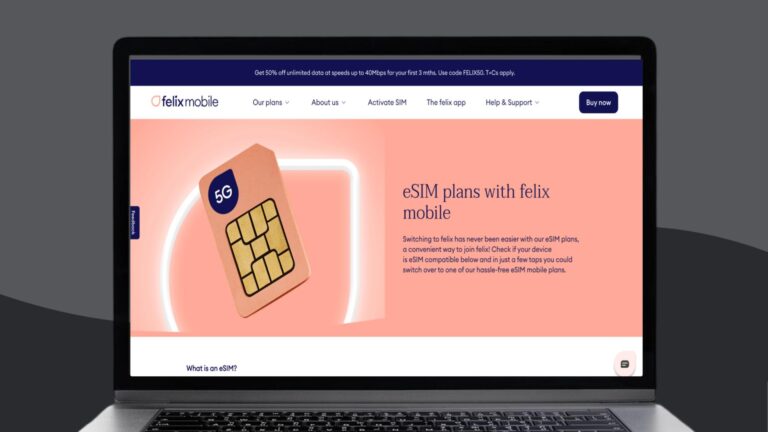
felix mobile eSIM plans
All felix mobile eSIM plans are prepaid, with data, unlimited calls, and unlimited texts. They renew every 30 days, with payment made upfront when you start and each time you recharge.
Each plan also has no lock-in contracts and remains active for the full month period. If you have any unused data for any plan, this rolls over when you renew.
| Data allowance | Inclusions | Duration | Price (AUD)* |
|---|---|---|---|
| 25 GB | 🛜 4G/5G network access capped at 150 Mbps ✉️ Unlimited local SMS 📞 Unlimited local calls 🖼️ Unlimited local MMS | Monthly | $25 |
| 50 GB | 🛜 4G/5G network access capped at 150 Mbps ✉️ Unlimited local SMS 📞 Unlimited local calls 🖼️ Unlimited local MMS | Monthly | $30 |
| Unlimited | 🛜 4G/5G network access at speeds up to 40 Mbps ✉️ Unlimited local SMS 📞 Unlimited local calls 🖼️ Unlimited local MMS | Monthly | $40 |
*Prices are at 50% off for the first three months for new and approved felix mobile customers.
Keep in mind that once you use up the included data on the 25 GB and 50 GB plans, you can still access data at reduced speeds of 1.5 Mbps, with no extra charges. But you can always top up with 10 GB of data for $10.
You can also get add-ons for your felix mobile plan, including overseas calls, overseas texts, and felix mobile international roaming add-ons. Also, in line with its eco-conscious approach, felix mobile plants one tree for every month you stay on a plan.
felix mobile eSIM-compatible devices
Before getting a felix mobile eSIM, make sure your device supports eSIM. Check our list of eSIM-compatible phones to confirm compatibility. If you don’t see your device, go for a physical SIM card instead.
How to get a felix mobile eSIM
The steps to get a felix mobile eSIM depend on whether you’re a new customer or an existing customer switching from an existing SIM.
If you’re a new felix mobile eSIM customer:
- Go to the felix mobile website or download the felix mobile app.
- Choose your desired plan and select eSIM as your SIM type.
- Select whether to bring your own number or get a new one.
- Follow the prompts to complete signup.
If you’re an existing felix mobile customer and switching to eSIM:
- Connect to a stable WiFi or hotspot from another mobile device.
- Go to Settings > Replace or swap your SIM.
- Follow the prompts and confirm the switch to eSIM.
- Open the app and follow the steps to activate your eSIM.
How to activate a felix mobile eSIM
After purchasing your eSIM, you can activate it right away. The steps depend on whether you’re getting a new number or keeping your existing one.
If you’re getting a new felix mobile number:
- Connect to a stable WiFi or hotspot.
- Download the felix mobile app and log in.
- Verify your email by following the prompts.
- Tap Set up your eSIM in the app.
- Wait for your phone settings to open and download the eSIM.
- Return to the app and tap Activate your felix service, then wait a few minutes.
If you’re keeping your existing number:
- Connect to a stable WiFi or hotspot.
- Download the felix mobile app and log in.
- Verify your email by following the prompts.
- Enter your previous provider details:
- If prepaid, enter your account date of birth and confirm.
- If postpaid, enter your account ID from your previous provider and confirm.
- Start the number transfer and enter the verification code sent to your old SIM.
- Wait for confirmation. (This can take a few minutes up to a few hours.)
- Remove your old SIM (or turn off your old eSIM).
- Tap Set up your eSIM in the app and follow the prompts.
- Once installed, tap Activate your felix service and wait a few minutes.
felix mobile eSIM transfer
To move your service to a new eSIM-compatible device, you can request a replacement eSIM through the app.
- Open the felix mobile app on your new device while connected to WiFi.
- Go to Settings.
- Tap Replace or swap your SIM.
- Follow the on-screen prompts.
This process issues a new eSIM and transfers this eSIM to your new device.
Other eSIM providers in Australia
Compare felix mobile eSIM plans with options from other providers. Here’s a list of major carriers in Australia that also offer eSIM plans.
- Vodafone eSIM
- Optus eSIM
- Telstra eSIM
- Woolworths Mobile eSIM
- Aldi eSIM
- Superloop eSIM
- Amaysim eSIM
- Boost eSIM
If you find yourself going abroad a lot, a travel eSIM like Holafly offers a simple setup and activation process, as well as unlimited data without high roaming fees.
Stay connected in Australia with Holafly
If you need a travel eSIM you can use in Australia, try Holafly’s eSIM for Australia, and get unlimited data, flexible usage periods from 1 to 90 days, 24/7 customer support, hotspot sharing, and reliable 5G coverage through the Optus network.
Frequent travellers can also use Holafly Plans — a monthly global data plan offering unlimited data in over 160 destinations, including Australia, unlimited hotspot sharing, a local phone number, and 24/7 human customer support.
Get an unlimited data eSIM
Use code MYESIMNOW5 for 5% off at checkout
Disclaimer: The data in this article is accurate as of Sep 17, 2025, and is subject to change.
Plans that may interest you


哈囉我是來自台灣的 Wen,平常最喜歡旅遊,也喜歡將旅遊的種種化成文字跟大家分享,希望大家能在我的文章中找到有用的資訊,加上 Holafly 的 eSIM,讓你的旅程更美好!✈️✈️✈️ Hi! I'm Wen, a passionate content writer and travel enthusiast from Taiwan. I transform my wanderlust adventures into engaging stories and practical guides, helping fellow travelers make the most of their journeys.Through my articles, I strive to provide travel tips while introducing how our eSIM technology can enhance your travel experience - keeping you connected wherever your adventures take you!